Simple AI File Renamer for Smart Batch Renaming

If you’ve ever spent hours renaming files one by one, you know how frustrating it is. Bank statements, invoices, receipts, PBC requests, screenshots, product images. Everything ends up named “Document_1.pdf” or “DISC_4829.jpg”
If you’re looking for a simple AI file renamer that just works, you’re in the right place.
Instead of manually typing file names, AI analyzes the content inside your files and generates clear, structured, searchable names in seconds.
If file naming keeps slowing you down, this fixes it. Try AI Renamer and rename hundreds of files in seconds.
What Is a Simple AI File Renamer
A simple AI file renamer is a tool that automatically renames files based on their content. It reads PDFs, images, and documents, understands what they contain, and creates meaningful filenames.
For example:
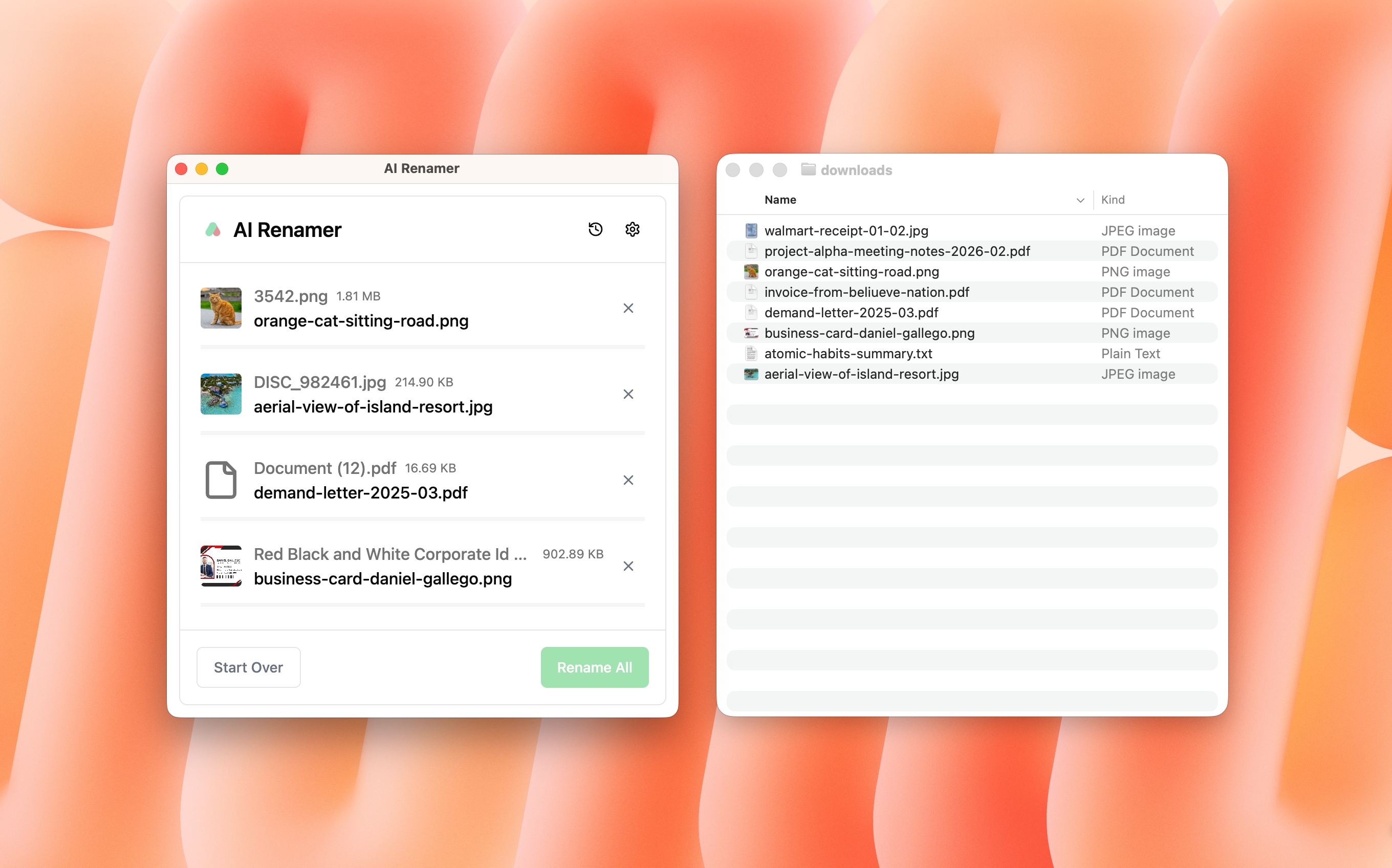
IMG_9321.jpg→Invoice_Amazon_ February_2026.jpgscan001.pdf→Bank_Statement_Chase_January_2026.pdfUntitled.pdf→Client_PBC_Request_Q1_2026.pdf
No more guessing what’s inside a file before opening it. If you’re new, start here:
Why Manual File Renaming Is a Problem
 Manual renaming is:
- Slow
- Repetitive
- Error-prone
- Mentally draining
Accountants and auditors rename hundreds of documents during busy season. Lawyers manage case files. Consultants handle client folders. E-commerce sellers deal with product images daily.
If each rename takes 10–20 seconds, that adds up to hours every week.
A simple AI file renamer automates that entire process.
How AI File Renaming Works
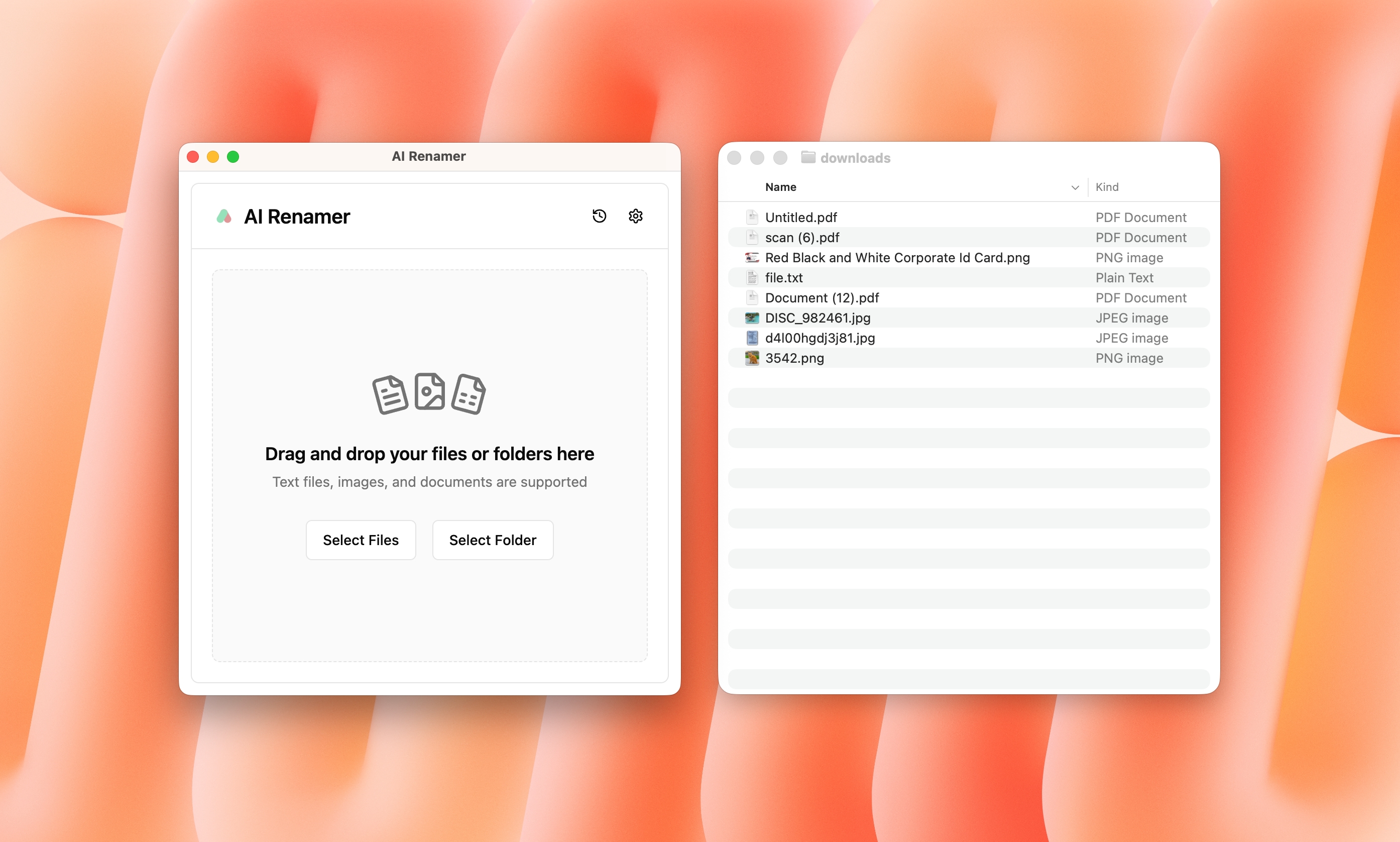 AI file renamers use LLMs to analyze:
- Text inside PDFs
- Text files like TXT, HTML, JS, MD
- Image content and EXIF data
- Scanned documents
- Screenshots
The AI understands context, extracts key details like dates, vendors, document types, and generates a structured filename.
You can also define custom instructions such as:
[DocumentType]-[Company]-[Date]
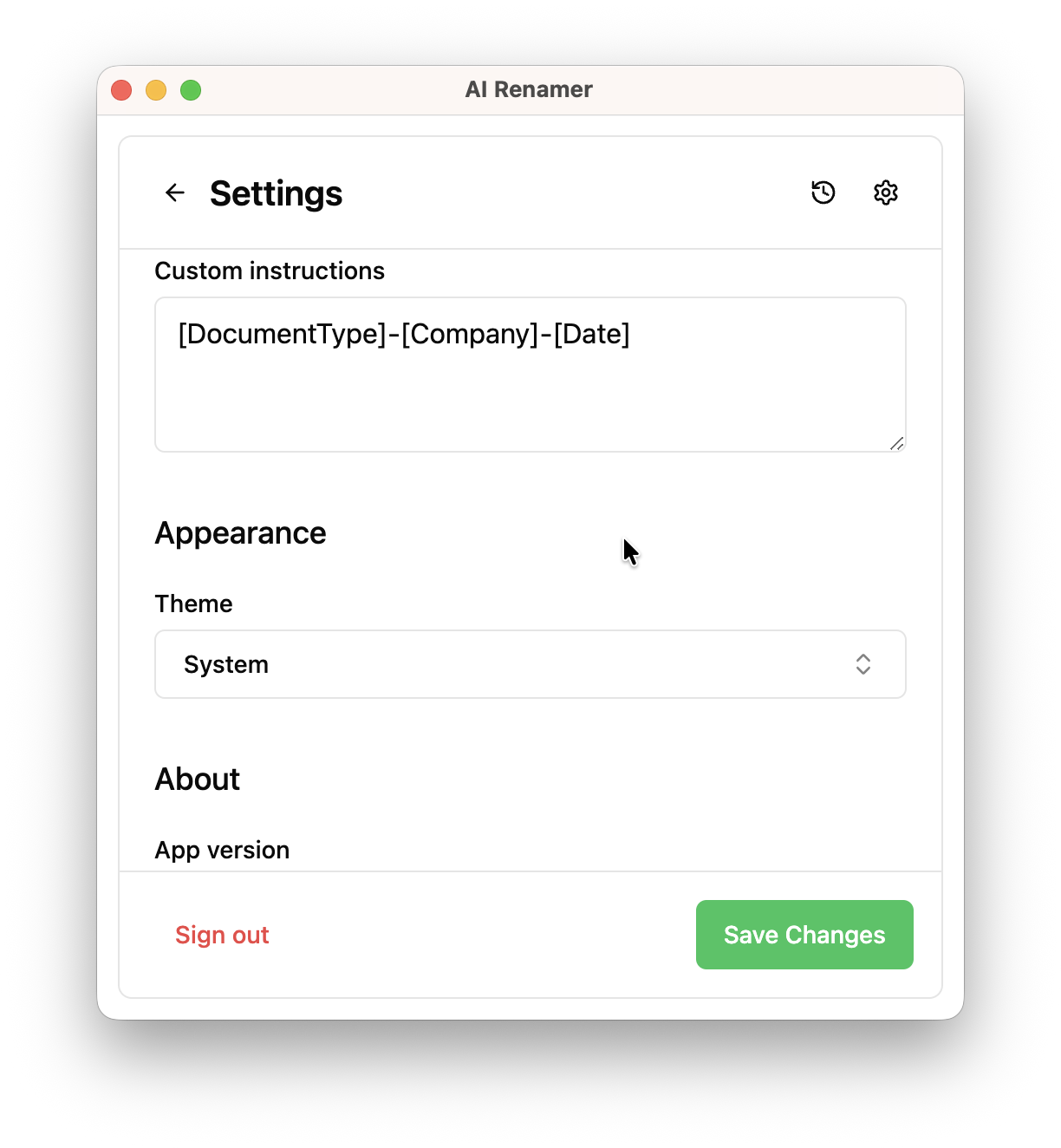
This makes your folders clean, searchable, and ready.
AI Renamer works on both platforms. Installation takes minutes.
For Mac users:
How to Install AI Renamer on macOS (Step-by-Step with Screenshots)
For Windows users:
How to Install AI Renamer on Windows (Step-by-Step with Screenshots)
No complex setup is required.
Local and Cloud AI File Renaming
AI Renamer offers two modes: Cloud Mode and Local Mode.
Cloud Mode uses hosted AI models. You pay per credit, and each rename consumes one credit. It requires no setup and works instantly.
Local Mode gives you full control over your AI provider.
With Local Mode, you can connect:
- Local models using Ollama or LM Studio
- API providers like OpenRouter, OpenAI, Google AI Studio, and Groq
Local Mode is ideal if:
- You want unlimited renaming with a one-time payment
- You prefer using your own API keys
- You work with sensitive files and want maximum control
Local Mode features:
- One-time payment
- Unlimited renaming
- Offline support with local models
- Online support with API providers
This means Local Mode is not just offline. You can run models fully offline on your machine, or connect your own API provider while keeping full control.
For professionals handling financial documents, audit files, legal contracts, or internal company data, this flexibility is a major advantage.
Who Benefits From a Simple AI File Renamer
 AI file renamers are especially useful for:
- Accountants organizing invoices and bank statements
- Auditors handling PBC requests
- Lawyers managing case documents
- Consultants working with client deliverables
- Developers organizing project files
- Photographers sorting image batches
- SMB owners cleaning up messy drives
If your workflow includes bulk documents, this tool saves real time.
See real examples here:
10 Professional Use Cases for AI File Renaming Tool
Here are more real-world examples:
How to Automatically Rename Files Using AI (10+ Real World Use Cases)
Batch Rename Files in Seconds
The biggest advantage is batch processing.
Instead of renaming files one by one, you can:
- Upload a folder
- Preview AI-generated names
- Apply changes instantly
Hundreds of files renamed in under a minute.
This turns a painful administrative task into a one-click action.
Better File Organization Means Better Productivity
Good file names improve:
- Searchability
- Team collaboration
- Audit readiness
- Client experience
- Personal productivity
When files are clearly labeled, you stop wasting time opening documents just to see what they are.
AI file renaming is not just about automation. It’s about reducing cognitive load.
Stop Renaming Files Manually
If you rename invoices, bank statements, PDFs, screenshots, or product images regularly, you’re wasting hours every month.
AI Renamer automates it in seconds.
- Works on Mac and Windows
- Supports PDFs and images
- Batch rename instantly
- Local mode with unlimited renaming
If file naming keeps slowing you down, this fixes it.
Try AI Renamer today.