Custom Instructions for AI File Renaming: 20 Prompts You Can Copy
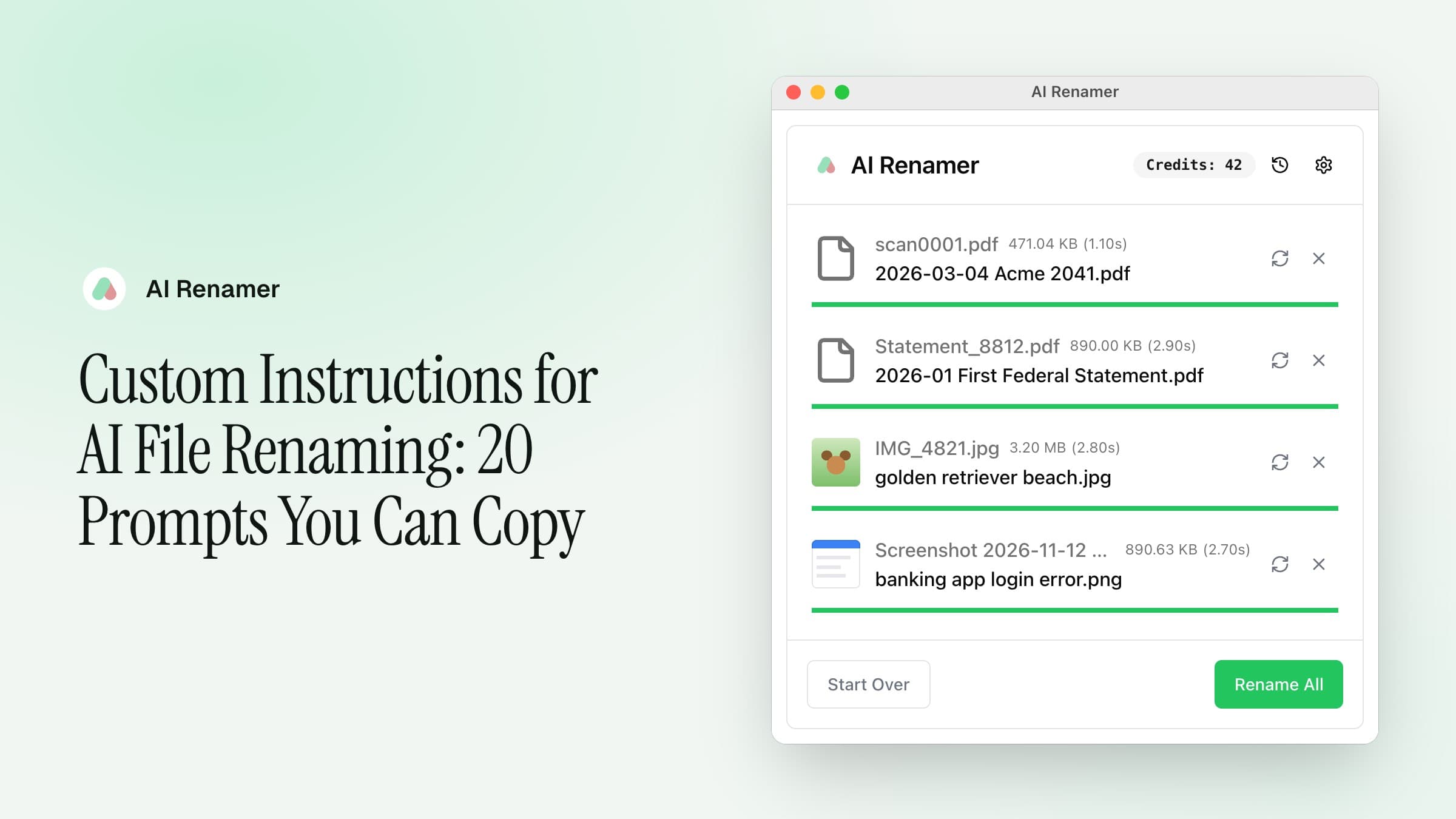
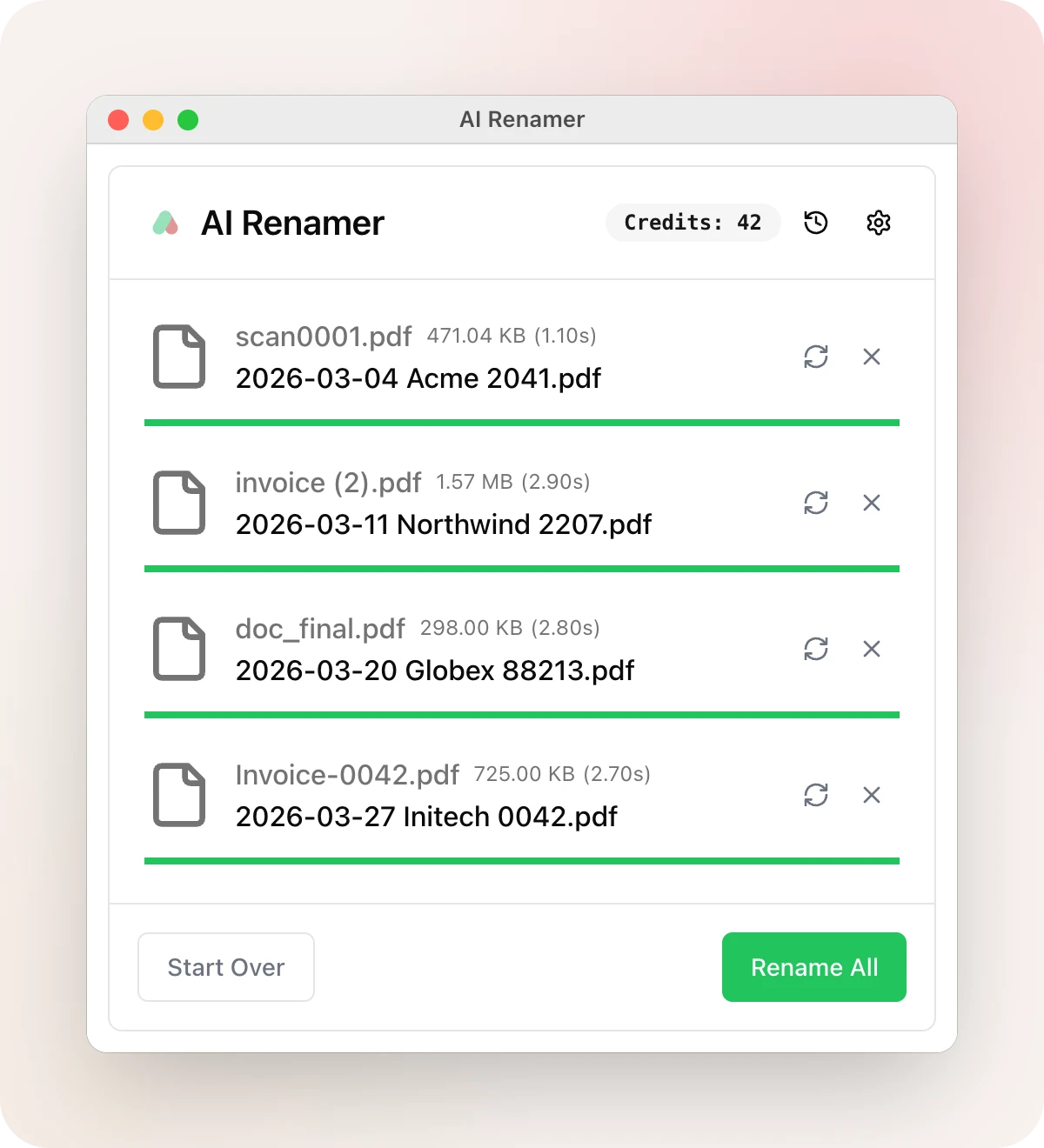
You drop a folder of invoices on AI Renamer and the names come back readable, but in the app's own style: acme-office-supplies-invoice.pdf. What you wanted was 2026-03-04 Acme 2041.pdf, with the date first so the folder sorts itself, and the invoice number your bookkeeper asks for.
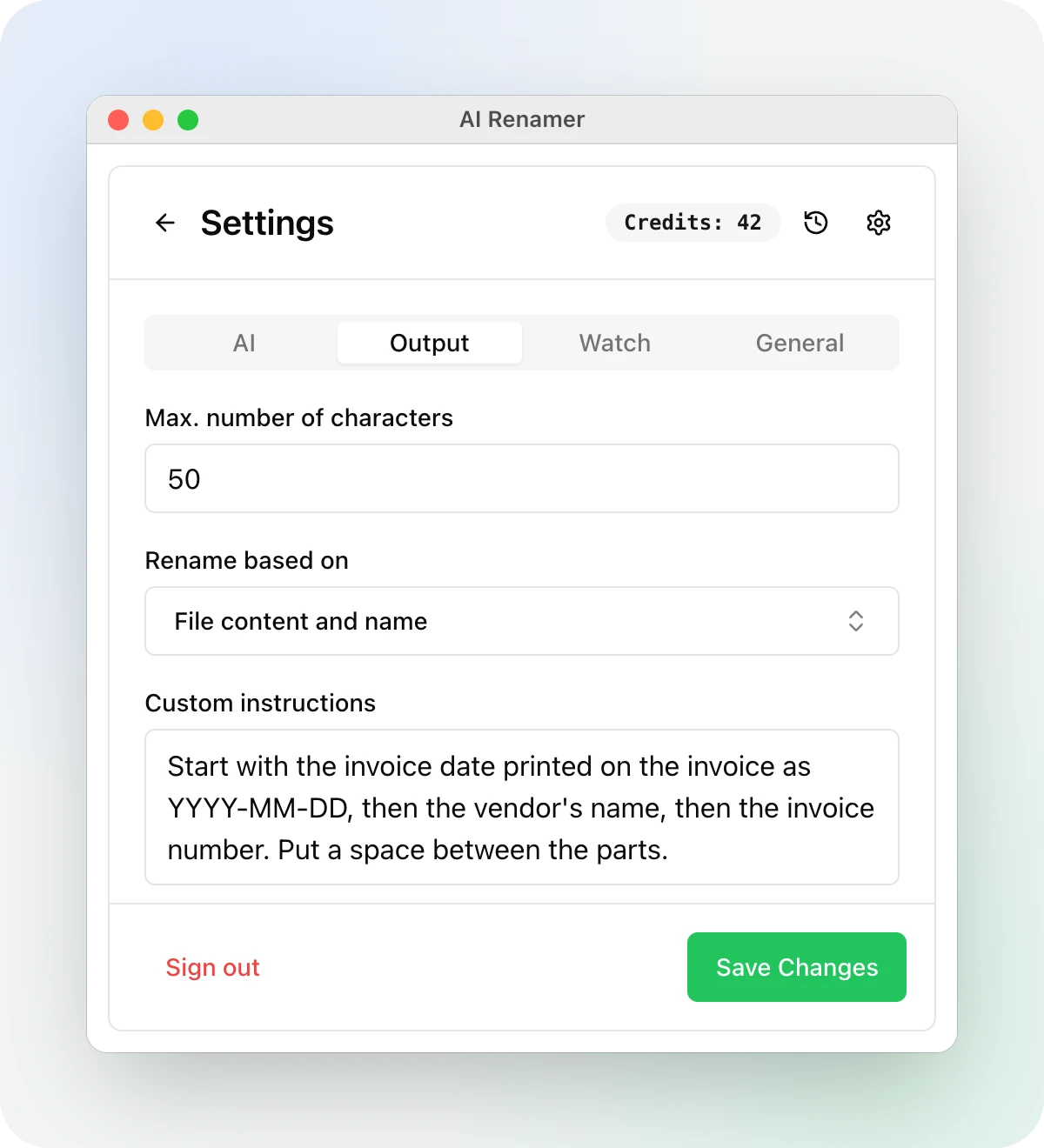
The Custom instructions box is where you say that. It's in Settings, on the Output tab. Whatever you write there goes to the model with every file, and the app tells the model to follow it over its own naming rules.
Two settings decide the final name
The model writes a name, then the app applies two settings to it before anything is renamed. If an instruction seems to be ignored, check these two first.
Max. number of characters is 25 by default, and the app cuts every name to that length at a word break. A date, a vendor and an invoice number together go past 25 quickly: 2026-03-04 acme invoice 2041 office supplies comes out as 2026-03-04-acme-invoice, and the number is gone. For a pattern with more than three parts, raise it to 50 or 60. It goes up to 255.
Case style is kebab case by default, and it rewrites whatever the model wrote. Spaces, underscores and dots all become hyphens, and capitals become lowercase, so 2026-02-01 Northwind 118.40 comes out as 2026-02-01-northwind-118-40. Snake case does the same with underscores and turns the date into 2026_02_01. If your instruction spells out separators or capitals, set Case style to No case, which keeps the model's text as it is.
How to write one that works
- Show the pattern with an example.
2026-03-04 Acme 2041leaves the model less to guess than a description of the same thing. - Say which date you mean. The app tells the model today's date, so "add the date" can come back as today's. "The invoice date printed on the invoice" can't.
- Name the parts in the order you want them, and say what goes between them.
- Write one rule for each kind of file. The box applies to every file in a batch, so a mixed folder needs a line per kind, like the last instruction below.
- In cloud mode the box holds up to 1,000 characters.
Nothing on disk changes until you press Rename All, so try a new instruction on a few files first. If one name is off, the circular arrow next to it asks for a different one.
Each instruction below comes with an example of the kind of name it asks for. The model writes the real names, so yours will differ in the details.
Invoices and receipts
All four need Case style set to No case and Max characters at 50.
1. Invoice date, vendor and number
Start with the invoice date printed on the invoice as YYYY-MM-DD, then the vendor's name, then the invoice number. Put a space between the parts.
scan0001.pdf → 2026-03-04 Acme 2041.pdf
2. Expenses with the amount
Use the format: the date as YYYY-MM-DD, the vendor, then the total with its decimals. For example: 2026-02-01 Northwind 118.40
invoice (2).pdf → 2026-02-01 Northwind 118.40.pdf
3. Receipts you photographed
This is a photo of a receipt. Name it with the purchase date as YYYY-MM-DD, the store, and the total.
IMG_4410.jpg → 2026-03-14 Cafe Roma 18.50.jpg
4. Invoice number first
Start with the invoice number written as INV-1234, then the client's name in two words at most.
document (3).pdf → INV-2041 Acme Office.pdf
Bank and tax documents
Both use No case and 50 characters.
5. Bank statements
Name bank statements as the month they cover as YYYY-MM, the bank's name, the account type, and the word Statement.
Statement_8812.pdf → 2026-01 First Federal Checking Statement.pdf
6. Tax forms
Start with the tax year, then the form's name exactly as printed on it, then who issued it.
W2_scan.pdf → 2025 W-2 Acme Corp.pdf
Contracts, legal and letters
7. Contracts
Name contracts as the type of agreement, the other party, and the date it was signed as YYYY-MM-DD.
Document_signed.pdf → lease-agreement-oakwood-apartments-2026-01-15.pdf
Kebab case works here, with Max characters at 50.
8. Court filings
Use the case name with v between the parties, then the kind of filing, then the filing date as YYYY-MM-DD. Put underscores between those three parts and hyphens inside them.
scan0034.pdf → Doe-v-Roe_Motion-to-Dismiss_2026-03-15.pdf
Use No case and 50 characters. With any other case style, the underscores turn into hyphens.
9. Letters and mail
Start with the date on the letter as YYYY-MM-DD, then who sent it, then what it is about in three words at most.
scan0007.pdf → 2026-02-10 City Water rate increase.pdf
No case, 50 characters.
10. Medical records
Start with the date of the visit as YYYY-MM-DD, then the provider, then the type of document.
report.pdf → 2026-11-03 Dr Patel lab results.pdf
No case, 50 characters. For records like these, local mode with Ollama or LM Studio reads the files on your own computer, as the offline renaming page explains.
Work and study
11. Research papers
Name papers as the first author's last name and the year written together, then the full title. For example: He2016 Deep Residual Learning for Image Recognition
1512.03385.pdf → He2016 Deep Residual Learning for Image Recognition.pdf
No case, 60 characters.
12. Meeting notes
Start with the meeting date as YYYY-MM-DD, then the topic in four words at most.
notes.txt → 2026-11-12-q4-budget-review.txt
Kebab case, 35 characters.
13. Screenshots
Start with the date from the original file name as YYYY-MM-DD, then the app or website shown, then what is on screen.
Screenshot 2026-11-12 at 10.42.13.png → 2026-11-12-banking-app-login-error.png
Kebab case, 40 characters. The date comes from the old name, so keep Rename based on at File content and name, the default, which lets the model see that name.
Photos
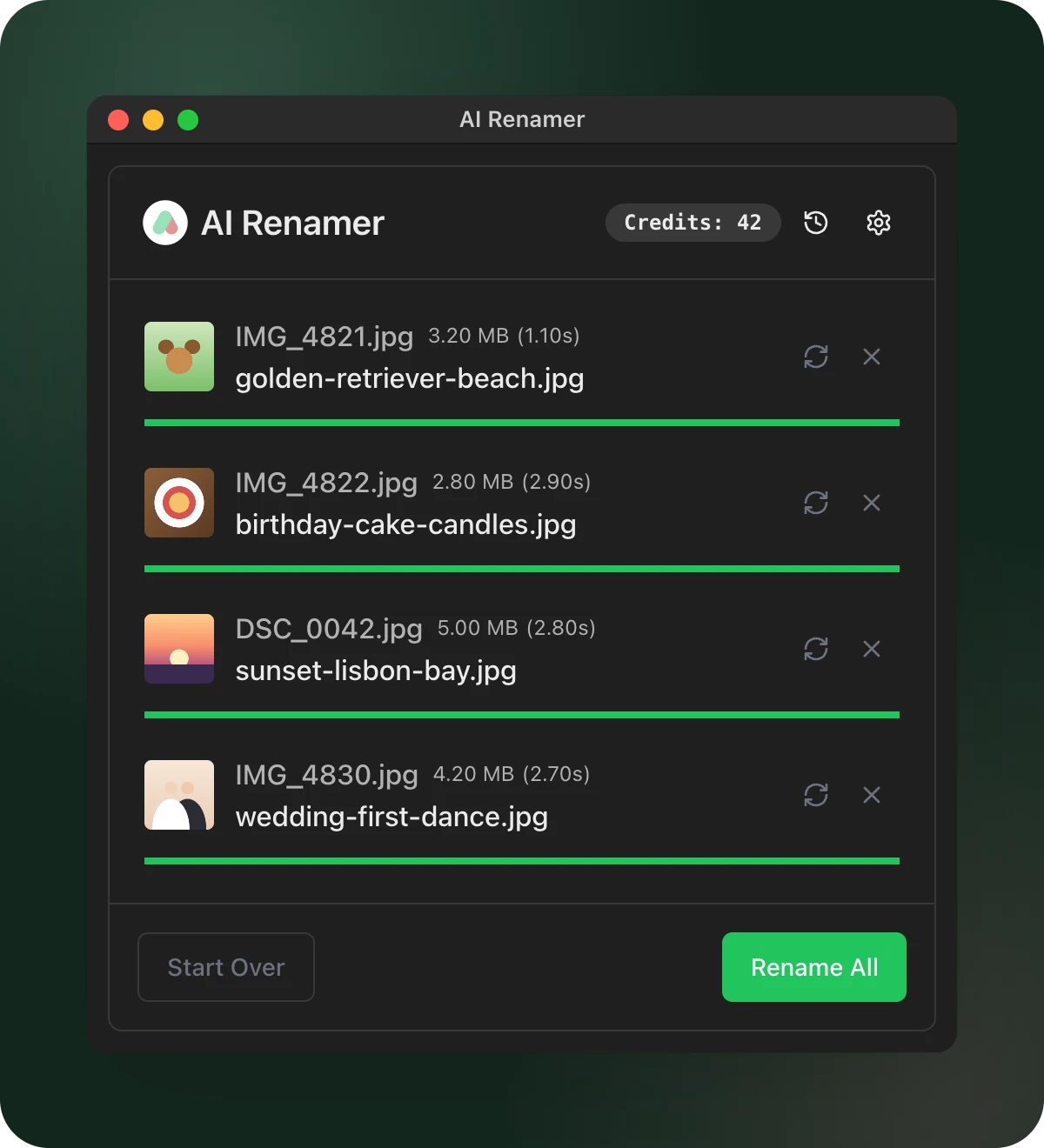
14. Short and plain
Describe what the photo shows in three words at most.
IMG_4821.jpg → golden-retriever-beach.jpg
The default settings are enough here.
15. Date taken first
Start with the date the photo was taken as YYYY-MM-DD, then what it shows in three words.
DSC_0042.jpg → 2026-08-21-sunset-lisbon-bay.jpg
Kebab case, 40 characters, and local mode, which reads the date from the photo's EXIF data. In cloud mode the model sees only the picture and its file name, so it can only use a date that appears in one of them.
16. Keep the camera's number
Describe the photo in three words, then add the number from the original file name at the end.
IMG_4821.jpg → golden-retriever-beach-4821.jpg
Kebab case, 35 characters.
17. Product photos
Name product photos as the brand shown on the product, the product, its color, and the angle, like acme-backpack-navy-front.
DSC_1180.jpg → acme-backpack-navy-front.jpg
Kebab case, 40 characters.
Any file
18. Keep the original name
Write a short description of the file, then an underscore, then the original file name without its extension.
IMG_4821.jpg → golden retriever beach_IMG_4821.jpg
No case, 40 characters. The old name stays inside the new one, so you can still search for it.
19. Clean up messy names
Set Rename based on to File name only, then:
Remove words like final, copy, new and v2, numbers in brackets and repeated underscores. Keep names, dates and IDs.
lecture_notes_week3__USE_THIS (2).pdf → lecture-notes-week-3.pdf
With File name only, the model never sees what's inside the file, only its name.
20. One box for a mixed folder
If the file is an invoice: the invoice date as YYYY-MM-DD, the vendor, the invoice number.
If it is a bank statement: the month as YYYY-MM, the bank, the word Statement.
If it is a photo: what it shows in three words.
For anything else: what it is in four words.
No case, 50 characters. A folder of invoices, statements and photos comes back with each kind named its own way.
For invoices and receipts in particular, the invoice renaming page walks through a whole batch.
Pick the instruction closest to your files, paste it into Settings, Output, Custom instructions, set the character limit and case style it needs, and try it on five files.
AI Renamer is available for Mac and Windows at airenamer.app.