How to Automatically Rename Files for Digital Archive Enthusiasts Using AI

A Fast and Private Way to Batch Rename Scans, Photos, PDFs, and Historical Documents
If you’re into digital archiving, you already know the pain:
You’re trying to preserve and organize years (or decades) of files like:
- Family photos and albums
- Scanned letters, postcards, and journals
- Old receipts and household records
- Genealogy documents and certificates
- Newspaper clippings and PDFs
- Vintage manuals, catalogs, and ephemera
- Research notes, and exports
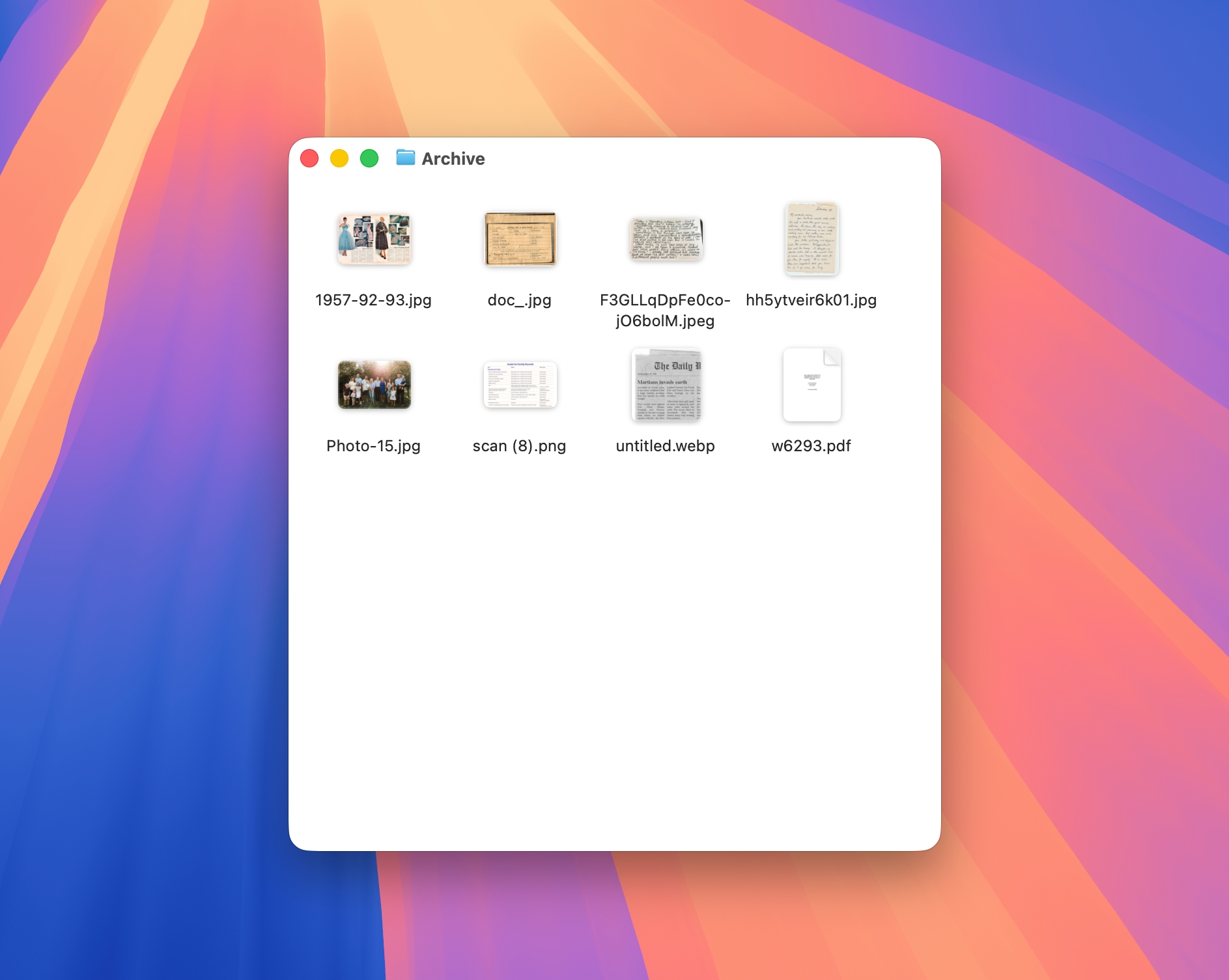
But the filenames usually look like this:
IMG_4029.JPGScan_2025-12-02.pdfDocument (17).pdfUntitled.pngfinal_final_v3.pdf
Manually renaming is slow, repetitive, and easy to mess up.
In this guide, you’ll learn how to automatically rename files for your digital archive using AI so your collection stays clean, searchable, and future-proof.
If you’re new to AI Renamer, start here
Why Digital Archives Get Messy So Fast
Digital archivists often work with files from many sources:
- Phone camera dumps
- Flatbed scanner exports
- Mobile scan apps
- Email attachments
- Cloud drive downloads
- Shared family folders
- Old external hard drives
Every source brings its own naming chaos. Over time, that creates problems like:
- “What is this file?” moments (hundreds of them)
- Duplicate names and weird suffixes like
(1)(2)(final) - Mixed formats and inconsistent capitalization
- Important dates lost inside filenames you can’t search
- Archives that only you can understand (until you can’t)
A dedicated AI file renamer fixes this by generating descriptive, consistent filenames based on what’s in the file (and your rules).
How AI Renamer Helps Digital Archive Enthusiasts
 AI Renamer analyzes each file and suggests clear filenames that make your archive easier to browse, search, and maintain over time.
With AI Renamer, you can:
- Batch rename entire folders in minutes
- Rename based on content (PDF text, image descriptions, readable scans)
- Apply your own conventions using Custom Instructions
- Keep sensitive files private using Local Mode
- Preview every rename before applying it
Supported Archive Formats
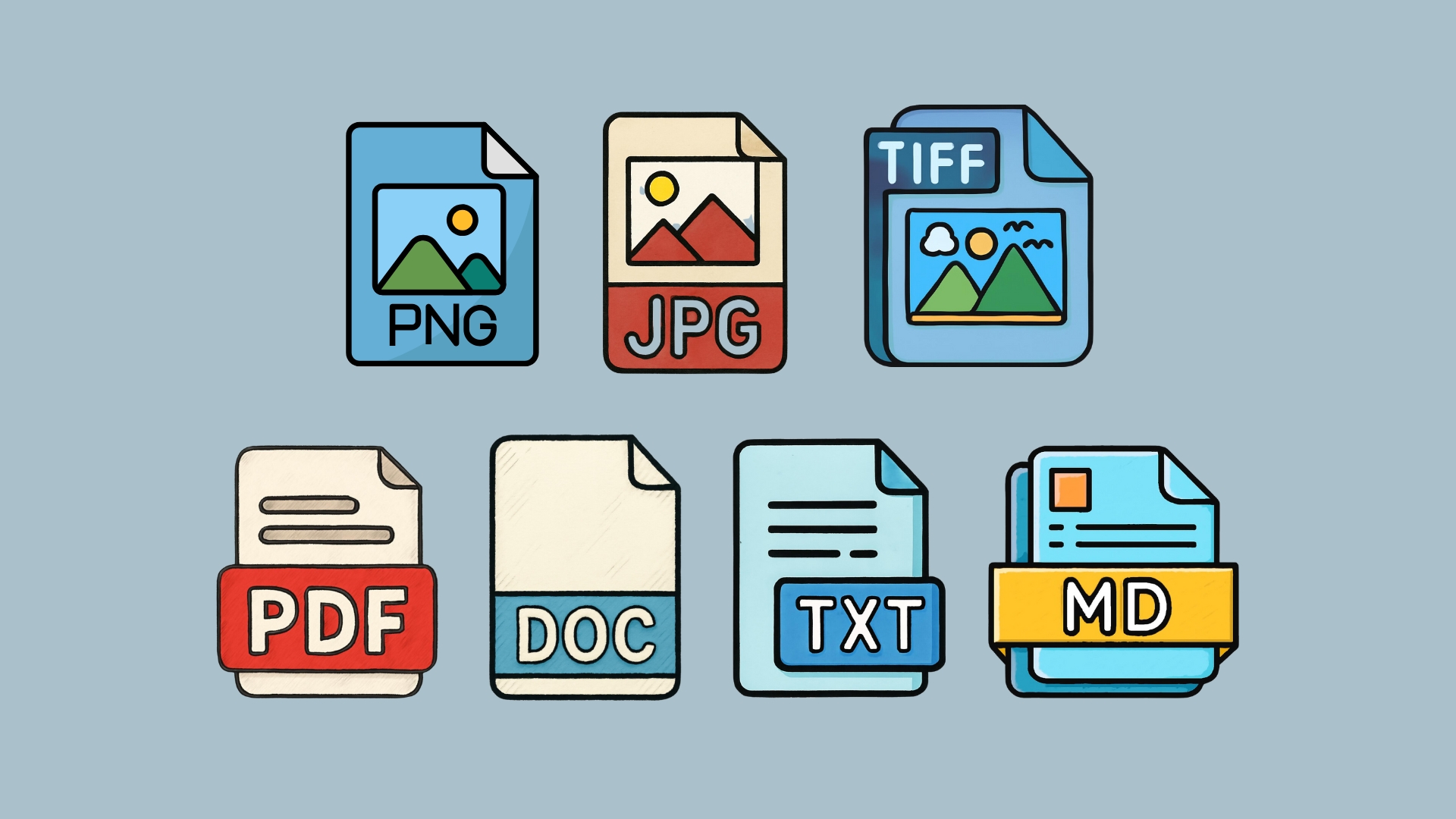
AI Renamer works with many formats archivists use daily:
- Images: JPG, PNG, GIF, BMP, TIFF, WEBP
- PDFs: text-based PDFs + image-based PDFs
- Documents / Text: TXT, MD, HTML, CSS, JS, TS, and more
This makes it ideal for renaming:
- scanned documents
- family photos
- receipts and household records
- certificates and IDs
- research notes and clippings
- mixed “archive dump” folders
How to Automatically Rename Archive Files with AI
1. Download AI Renamer
 Download the desktop app for macOS or Windows:
Need step-by-step install help?
2. Choose Local Mode or Cloud Mode
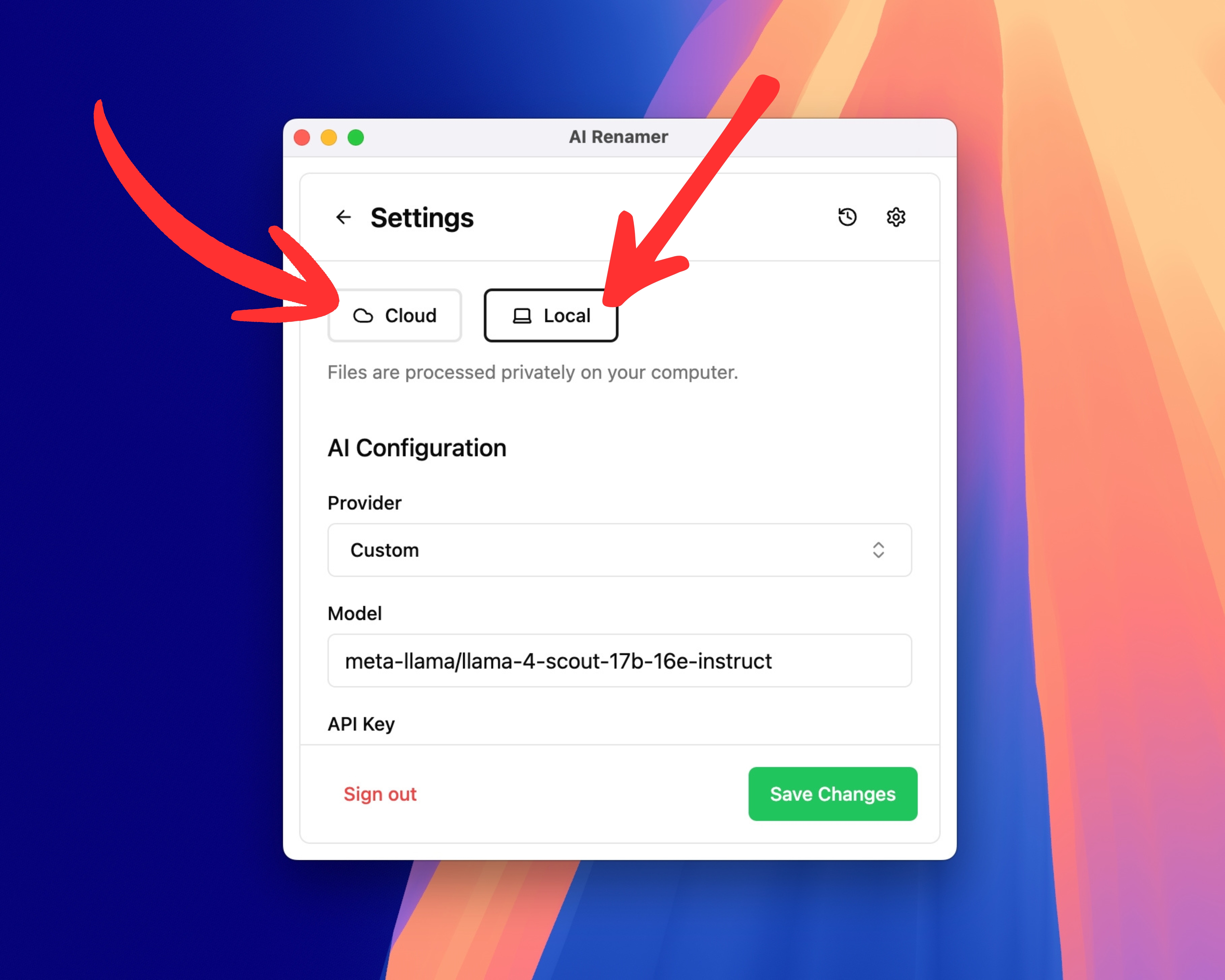 Local Mode (recommended for archives)
- Files stay on your device for maximum privacy
- Unlimited renaming (no credits)
- No cloud file size limits
- Great for large historical batches and sensitive family documents
Cloud Mode
- Uses built-in models with prepaid credits
- 1 rename = 1 credit
- Great for quick cleanup sessions
Both modes support PDFs and images.
3. Add Your Archive Folder
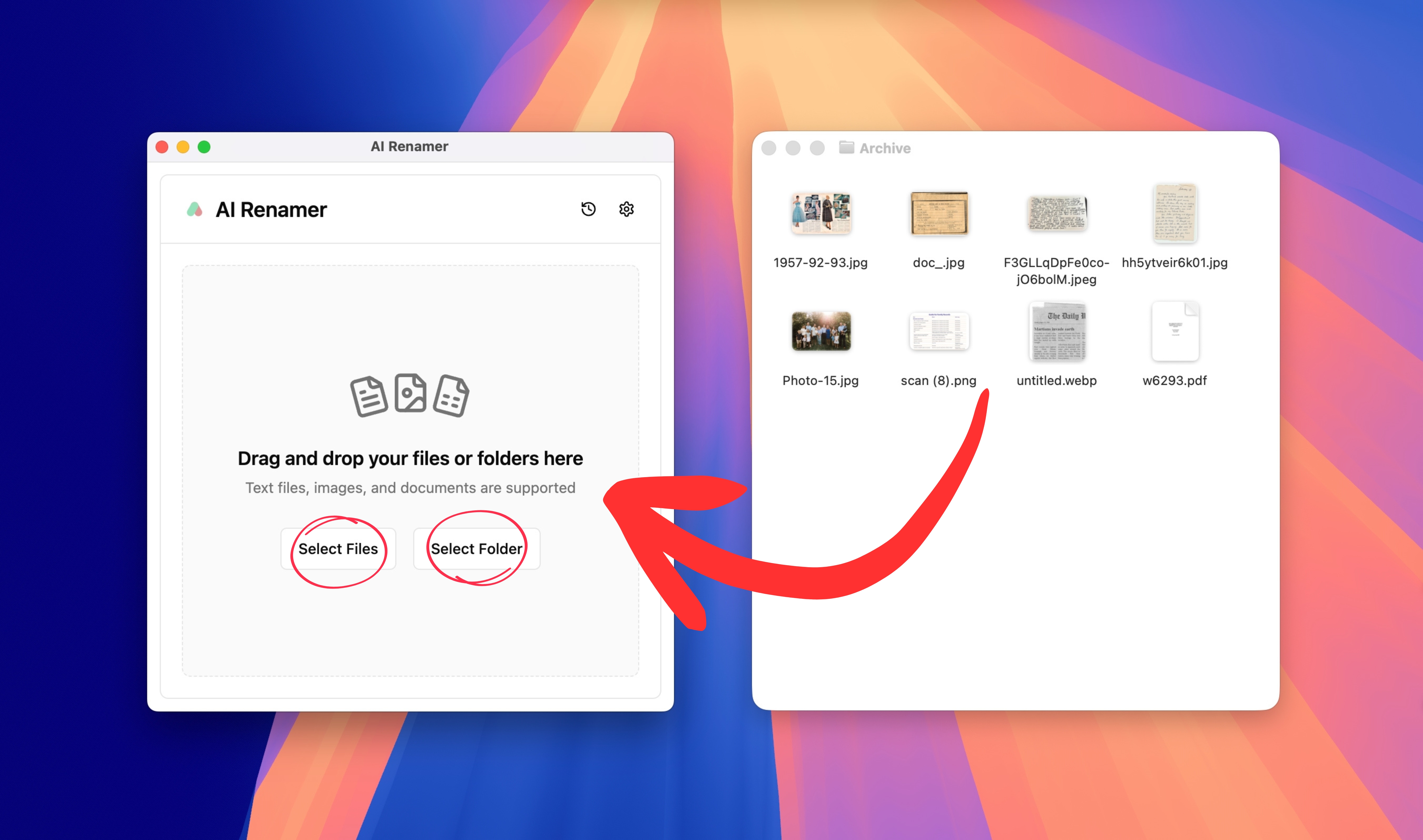 Drag and drop your archive folder into AI Renamer, for example:
Family_Photos/Scans_Grandparents/Certificates/House_Records/Genealogy_Documents/Newspaper_Clippings/
AI Renamer will scan the batch and prepare rename suggestions based on:
- File type and extension
- Text inside PDFs (when readable)
- Visual content (for images and scans)
- Your Custom Instructions
4. Preview the AI-Generated Names
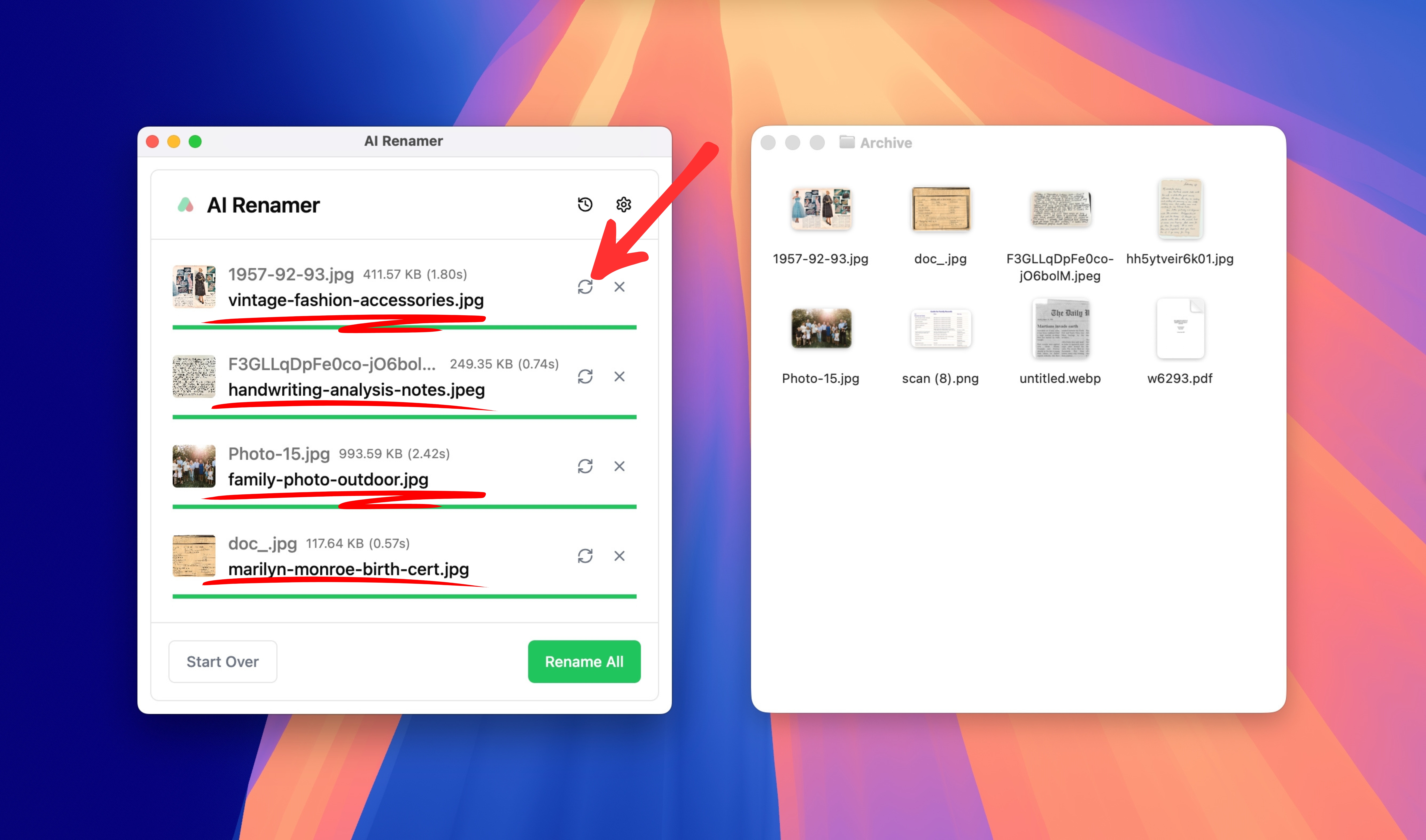 Before any changes happen, you’ll see a full preview.
Instead of:
IMG_4029.JPGscan_001.pdfDocument (21).pdf
You might see:
family-photo-birthday-cake.jpgletter-handwritten-grandmother.pdfcertificate-marriage-record-1994.pdf
If something looks off, you can:
- Click Regenerate
- Adjust your Custom Instructions for better suggestions
5. Rename Everything in One Click
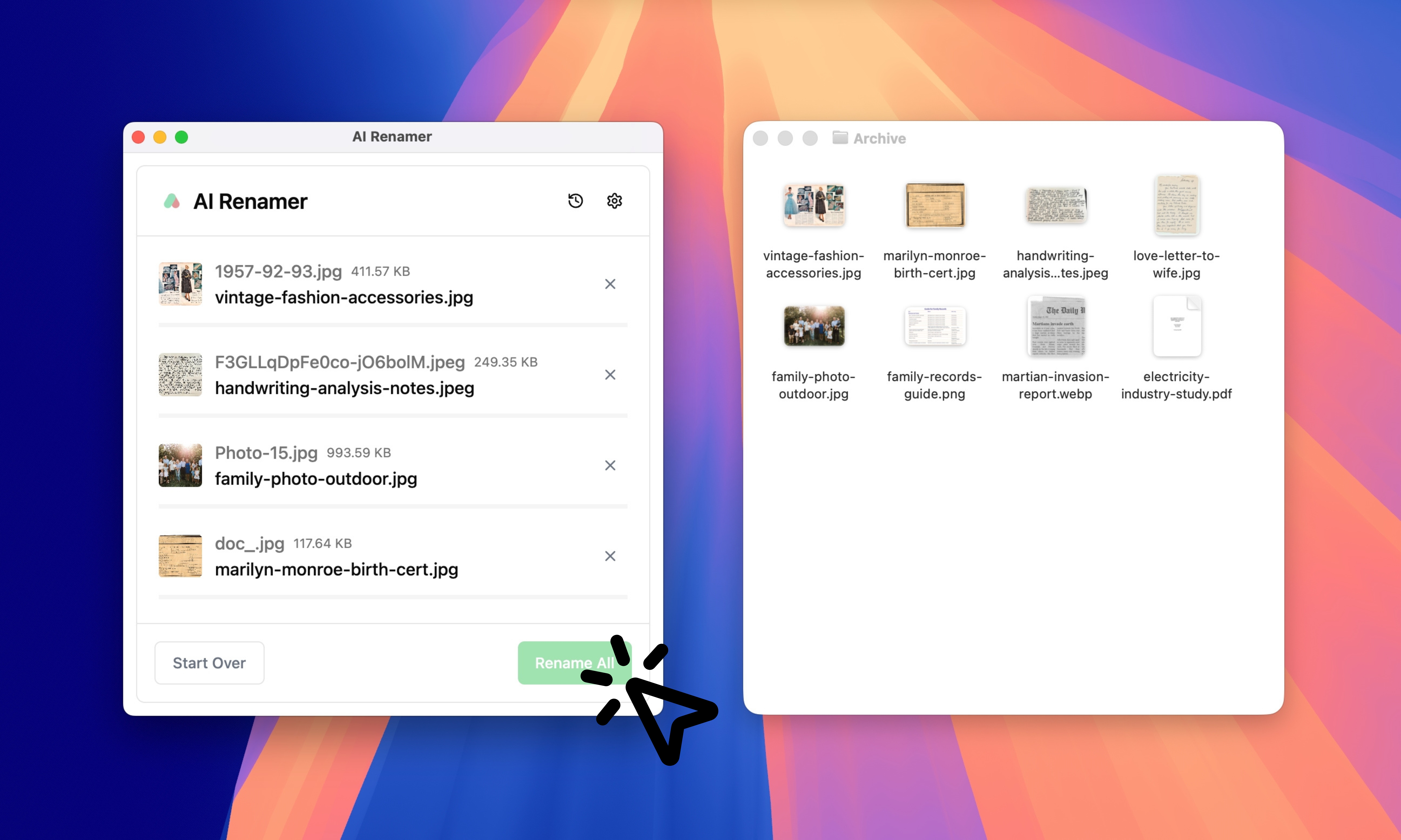 Once the preview looks right:
- Click Rename All
Your archive instantly becomes:
- searchable
- consistent
- easier to back up
- easier to share with family
- easier to maintain long-term
The Best Naming Conventions for Digital Archives
There’s no single “perfect” archive naming system. But the best ones share three rules:
- Put dates first when possible (so sorting works)
- Use a predictable structure (so your brain learns it)
- Keep filenames short, but meaningful
Common Naming Patterns That Work Well
Here are a few solid patterns digital archivists use:
YYYY-MM-DD - type - descriptionYYYY - family - event - locationcollection - box/folder - item - datetype - person - topic - year
AI Renamer can follow these patterns with Custom Instructions. For more workflow ideas, see:
👉 10 Professional Use Cases for AI File Renaming Tool
Using Custom Instructions for Archive Filenames
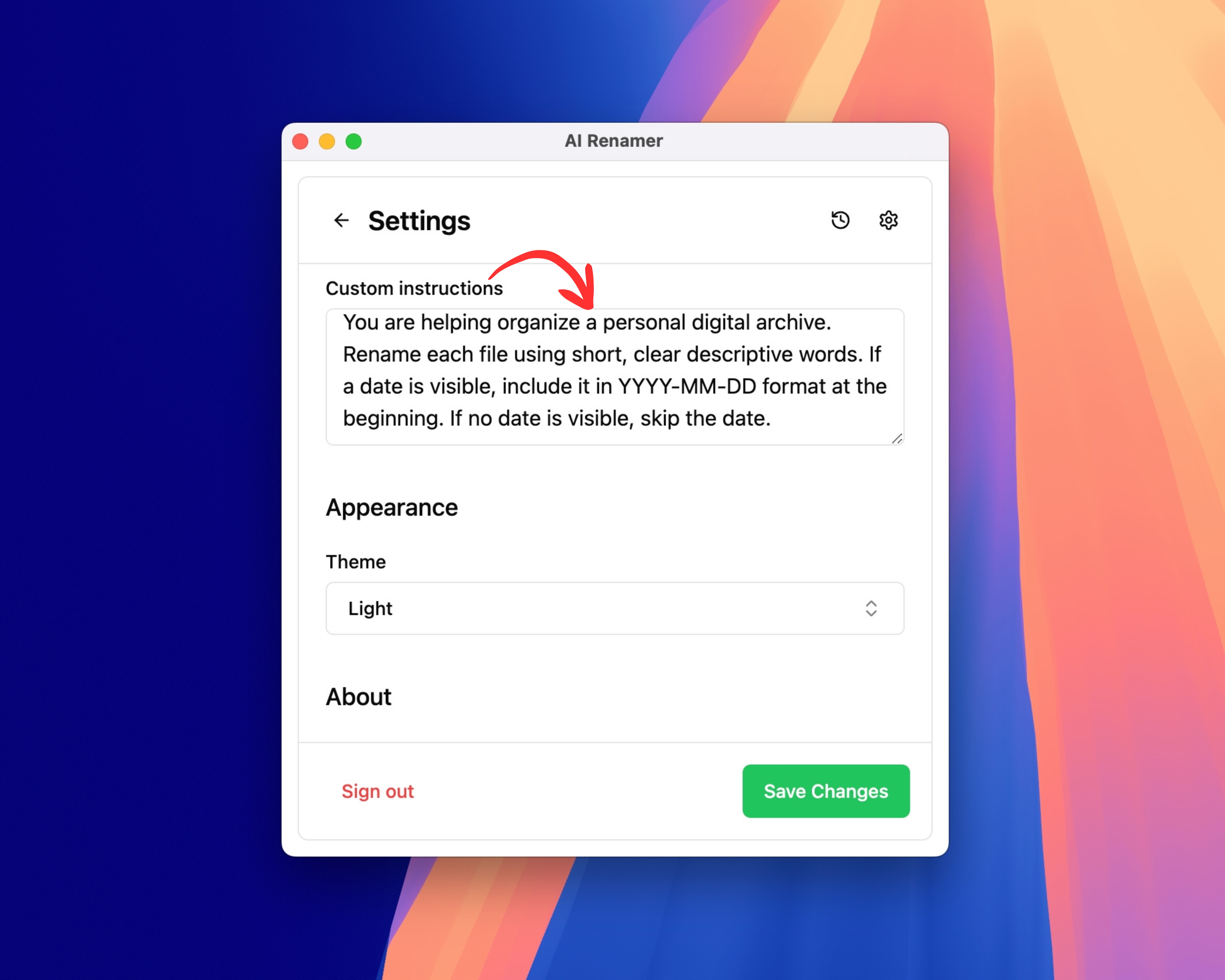 Custom Instructions let you define your archive style and apply it to every file in the batch.
Example Custom Instruction
Paste this:
“You are helping organize a personal digital archive.
Rename each file using short, clear descriptive words.
If a date is visible, include it in YYYY-MM-DD format at the beginning.
If no date is visible, skip the date.”
This helps AI Renamer generate filenames that are consistent without inventing details.
Example Custom Instruction (Family Archive Focus)
“Rename files for a family history archive.
Use: {date if visible}-{document type}-{main subject}.
Before and After Examples for Digital Archives
These examples show realistic archive transformations.
Example 1: Scanned Letter
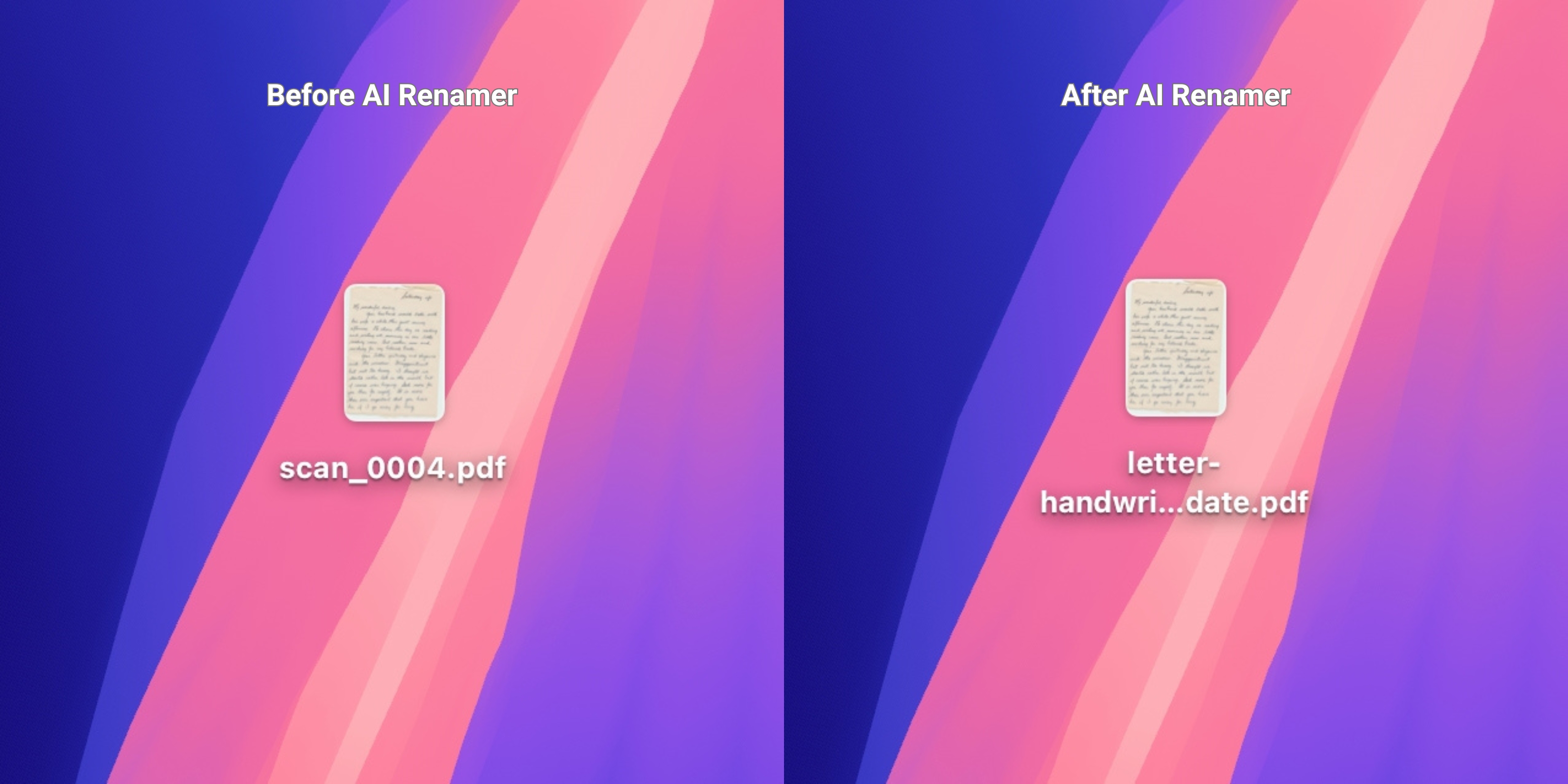 Before:
 scan_0004.pdf
After: letter-handwritten-family-update.pdf
AI Renamer can often detect:
- letter-like layout
- common letter phrases
Example 2: Family Photo Dump
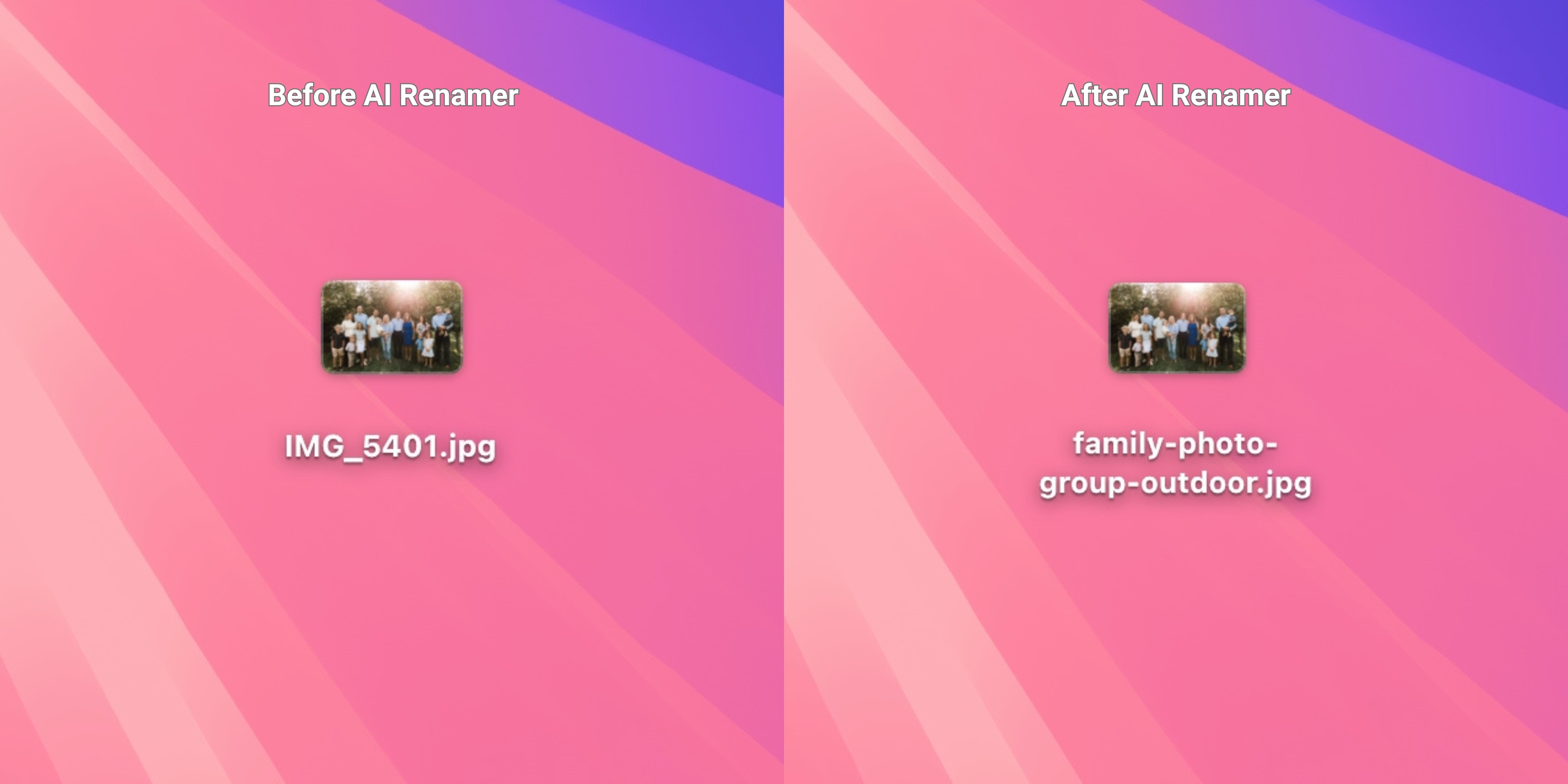 Before:
 IMG_5401.jpg
After: family-photo-group-outdoor.jpg
AI Renamer can detect:
- general subjects (group, child, portrait, outdoor)
- scene context (party, beach, picnic, indoor)
It does not identify specific people.
Example 3: Certificate or Official Record
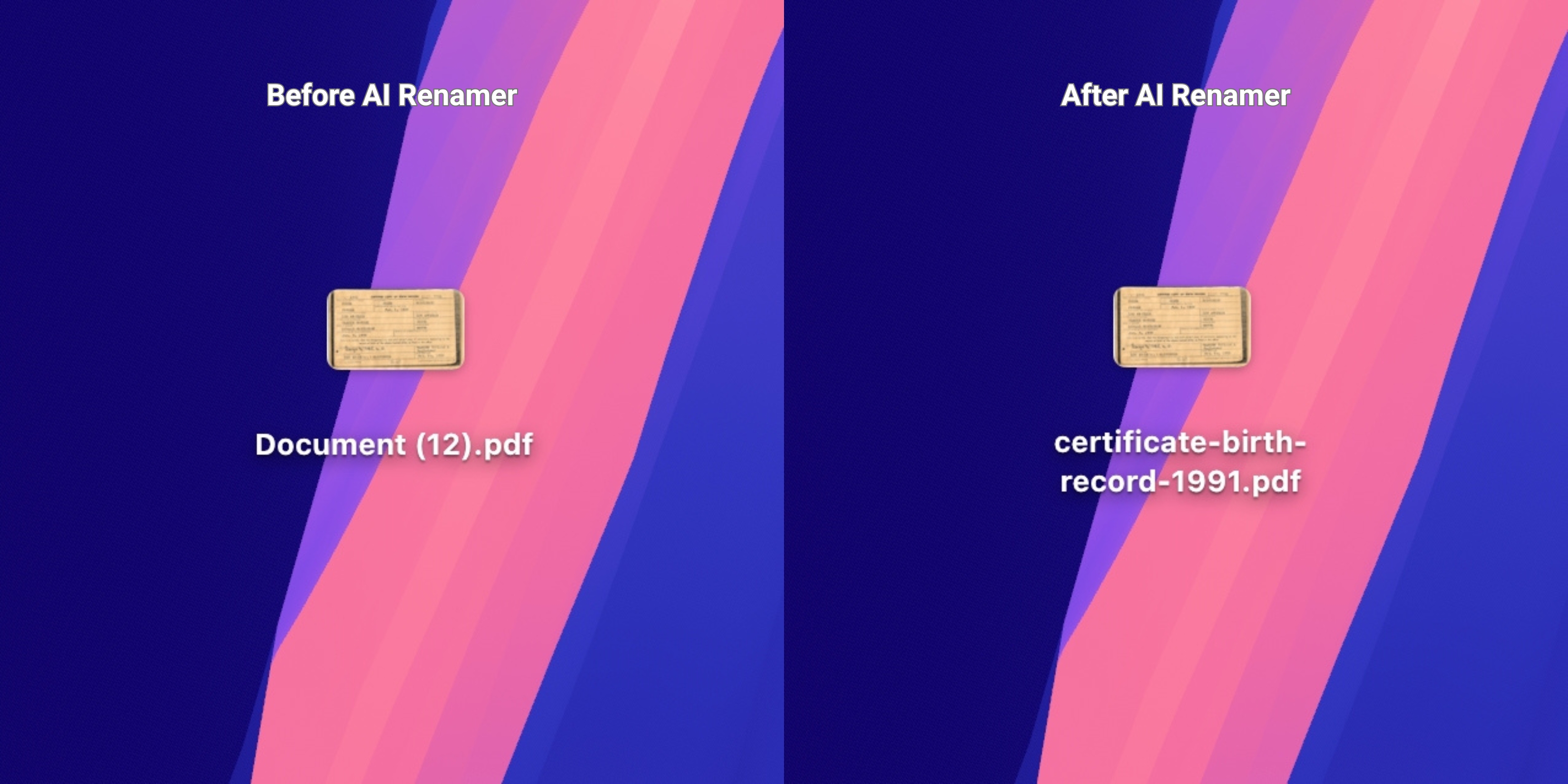 Before:
 Document (12).pdf
After: certificate-birth-record-1991.pdf
AI Renamer can often detect:
- certificate-style formatting
- keywords like “certificate,” “record,” “issued,” etc.
- dates if clearly printed
Example 4: Newspaper Clipping PDF
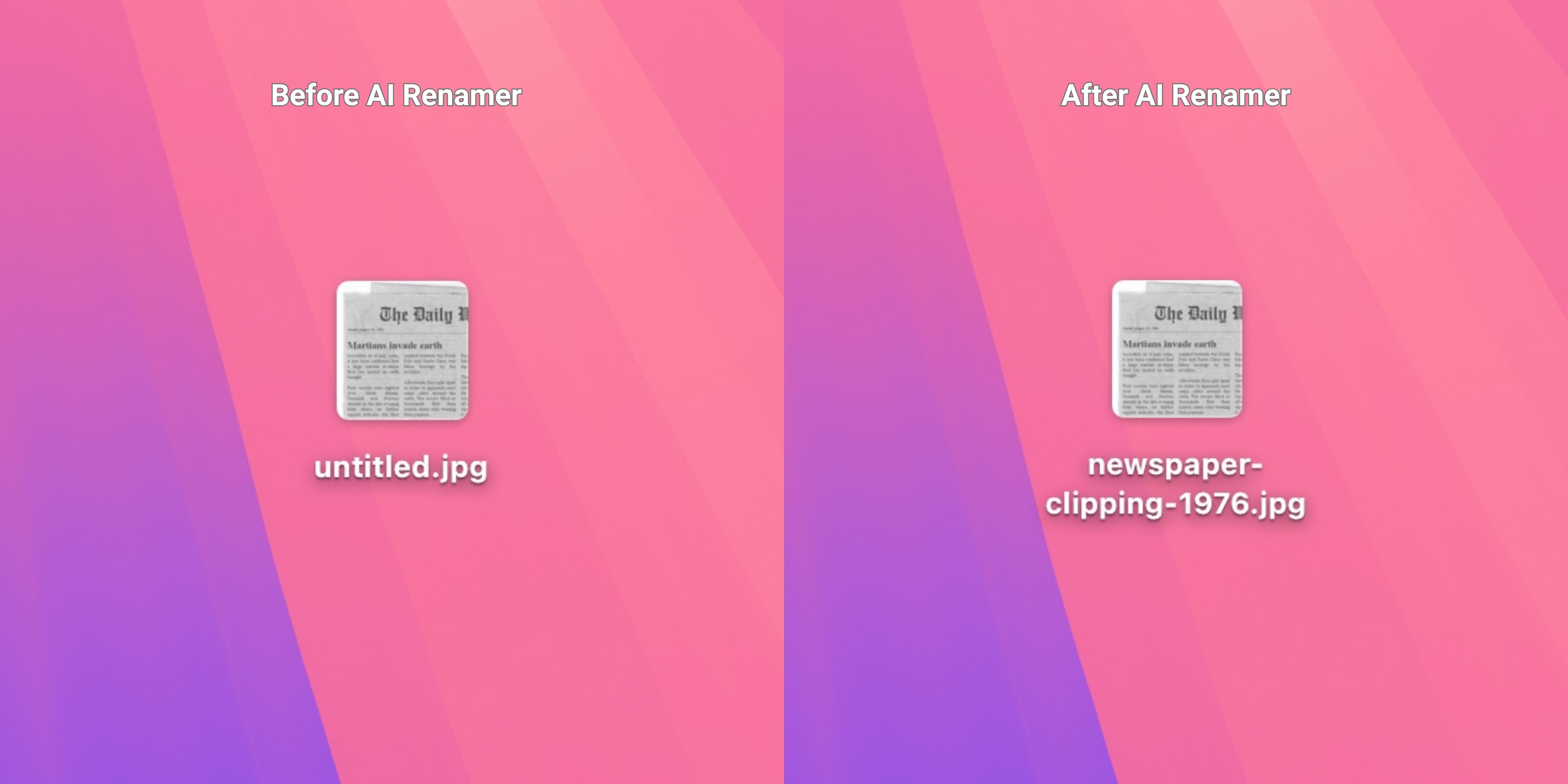 Before:
 untitled.jpg
After: newspaper-clipping-1976.jpg
AI Renamer can often detect:
- headline-like structure
- article formatting
- topic keywords
Frequently Asked Questions
Does AI Renamer work on old scans and handwritten documents?
Sometimes. If text is readable, results are better.
Is it safe for private family archives?
Yes.
- Local Mode: everything stays on your computer
- Cloud Mode: files are processed temporarily and not stored
If your archive includes sensitive family records, Local Mode is the best option.
Can I rename more than one folders at once?
Yes. Batch renaming is the core feature. Drag in folders and rename them in one pass.
Can I enforce my own archive naming system?
Yes. Use Custom Instructions to define your structure, and AI Renamer will follow it based on what it can detect.
Keep Your Archive Searchable Without Manual Renaming
If your archive folders are full of:
IMG_4029.JPGscan_2025_12_02.pdfDocument (17).pdf
…you’re not doing anything wrong. That’s how archives start.
AI Renamer gives digital archive enthusiasts a fast, private, and customizable way to batch rename files so your collection becomes searchable, consistent, and easy to maintain for years.
Batch rename your archive in minutes.
👉 Try AI Renamer: airenamer.app