Can I Use AI to Rename Files? Yes, Here’s How (With Examples)

If you’ve ever renamed files manually like this:
scan_001.pdf
document_final_v2.pdf
IMG_9483.jpg
invoice_new.pdf
You’ve probably wondered:
Can I use AI to rename files automatically?
The short answer is:
👉 Yes. And it can save you hours.
Let’s break down how it works and when it’s actually useful. If you’re new to AI file renaming, start here: What is AI Renamer?
What Does It Mean to Rename Files with AI?
Traditional file renaming tools let you:
- Add prefixes
- Add dates
- Replace text
- Rename files sequentially
But AI file renaming is different.
Instead of just renaming based on patterns, AI:
- Reads the file content
- Understands what the document is
- Generates a meaningful, structured filename
For example:
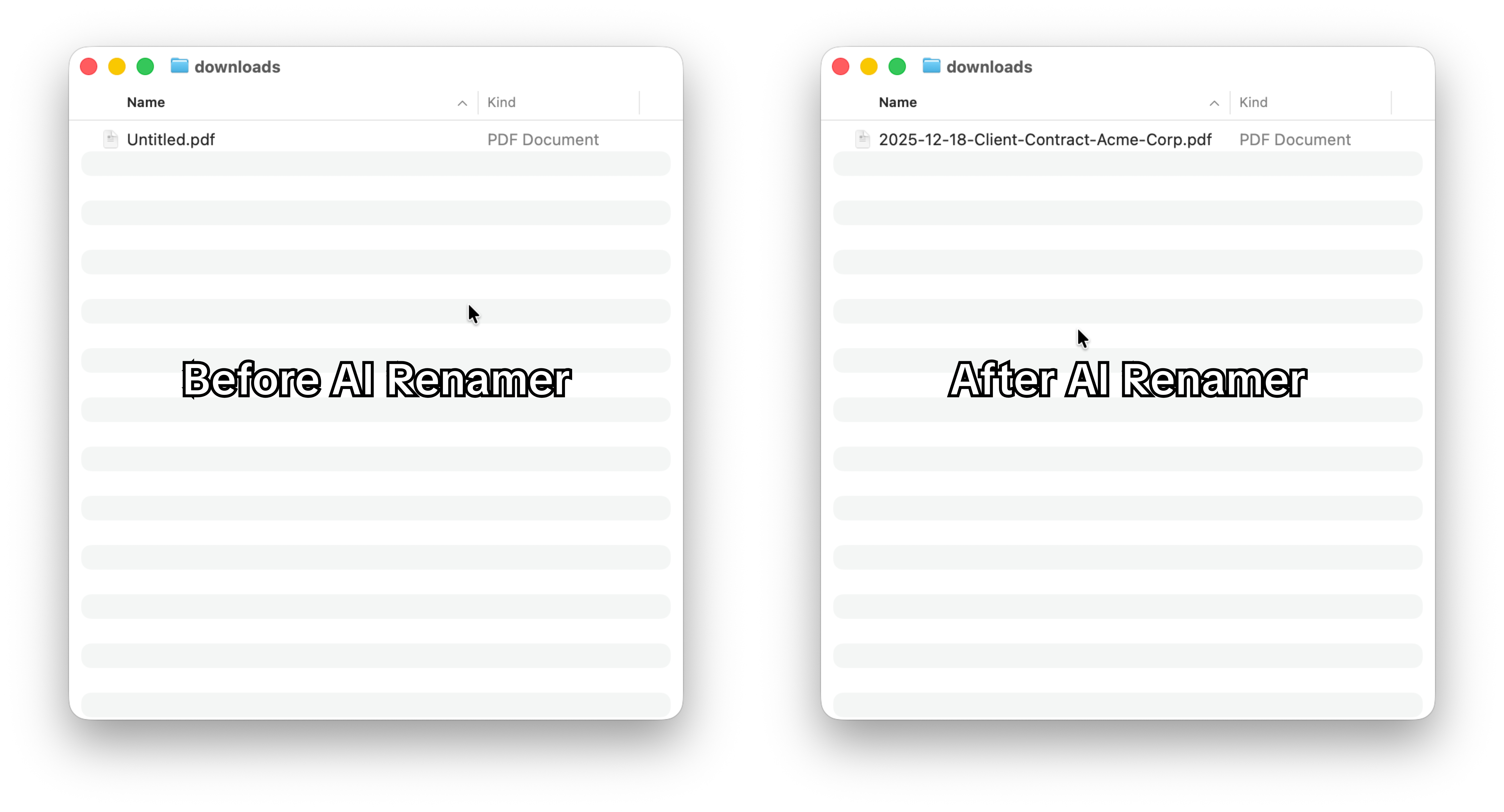 Before:
Untitled.pdf
After (AI-renamed):
2025-12-18-Client-Contract-Acme-Corp.pdf
The AI analyzes the content and extracts:
- Date
- Document type
- Company name
- Context
That’s something rule-based renaming can’t do.
Real Examples of AI File Renaming
Here’s where AI renaming becomes powerful:
📄 Bank Statements
Rename bank statements with AI instead of editing filenames manually.
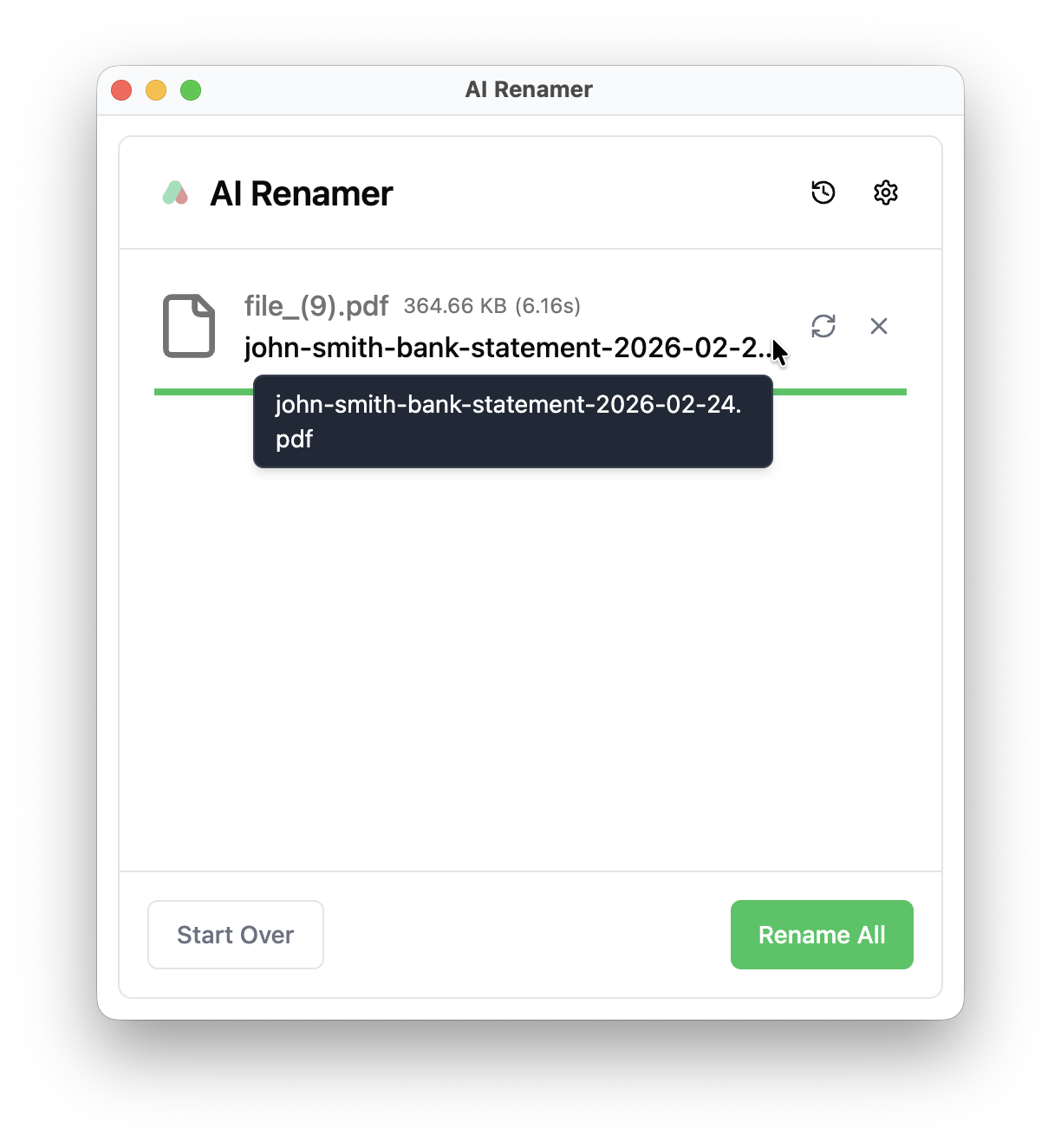 From:
From:
file_(9).pdf
To:
john-smith-bank-statement-2026-02-24.pdf
AI can analyze the PDF, detect the account holder and statement date, and generate a clean, searchable filename.
If you manage monthly statements, you can batch rename bank statements automatically in seconds.
🧾 Invoices
You can rename invoices with AI and keep your accounting folders organized.
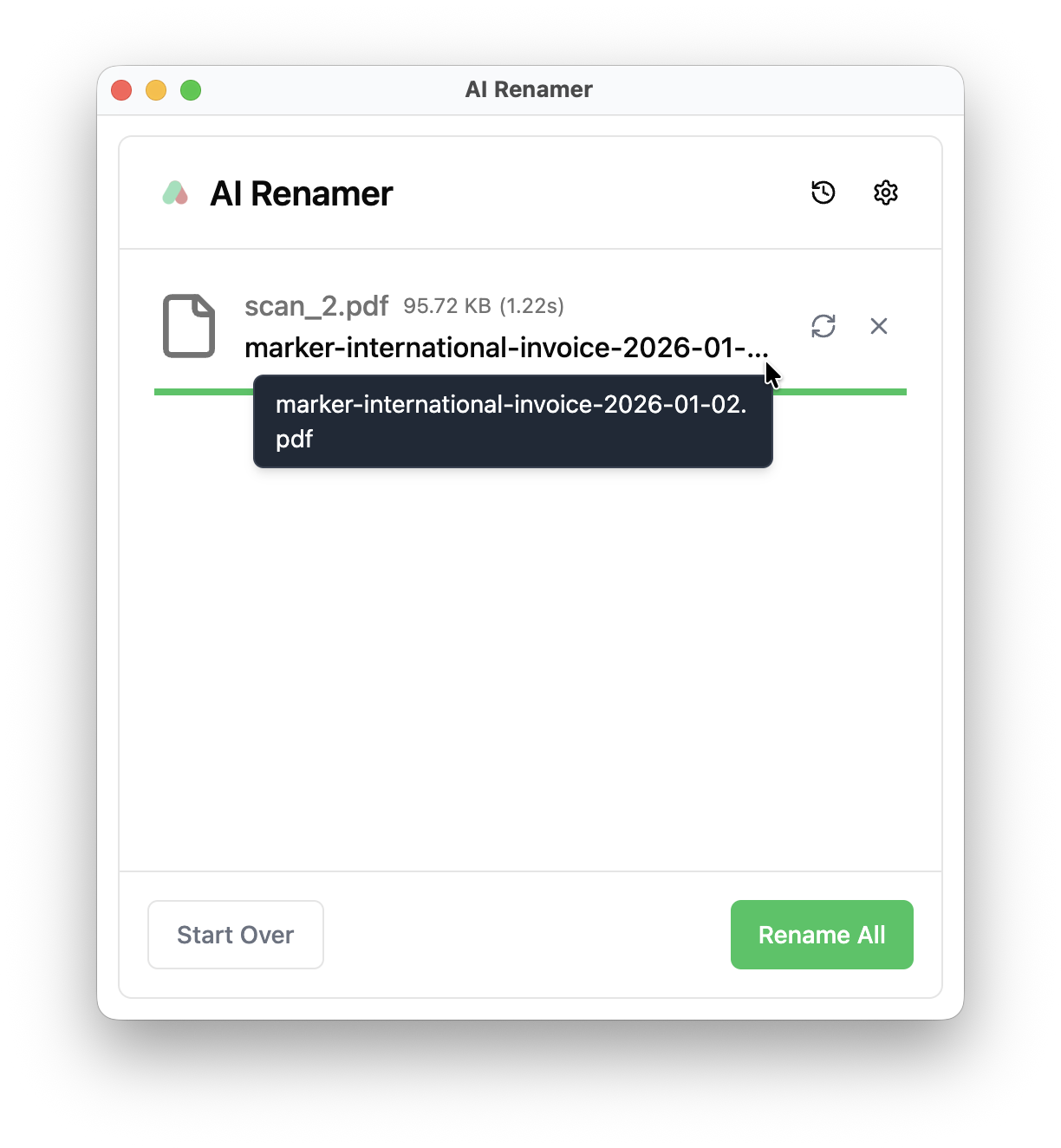 From:
From:
scan_2.pdf
To:
marker-international-invoice-2026-01-02.pdf
Instead of generic names like “scan” or “invoice” AI can detect the company name and invoice date and create structured filenames.
For accountants and SMB owners, this makes invoice tracking and audit preparation much easier.
⚖️ Legal Contracts and Agreements
Rename legal contracts automatically using AI document analysis.
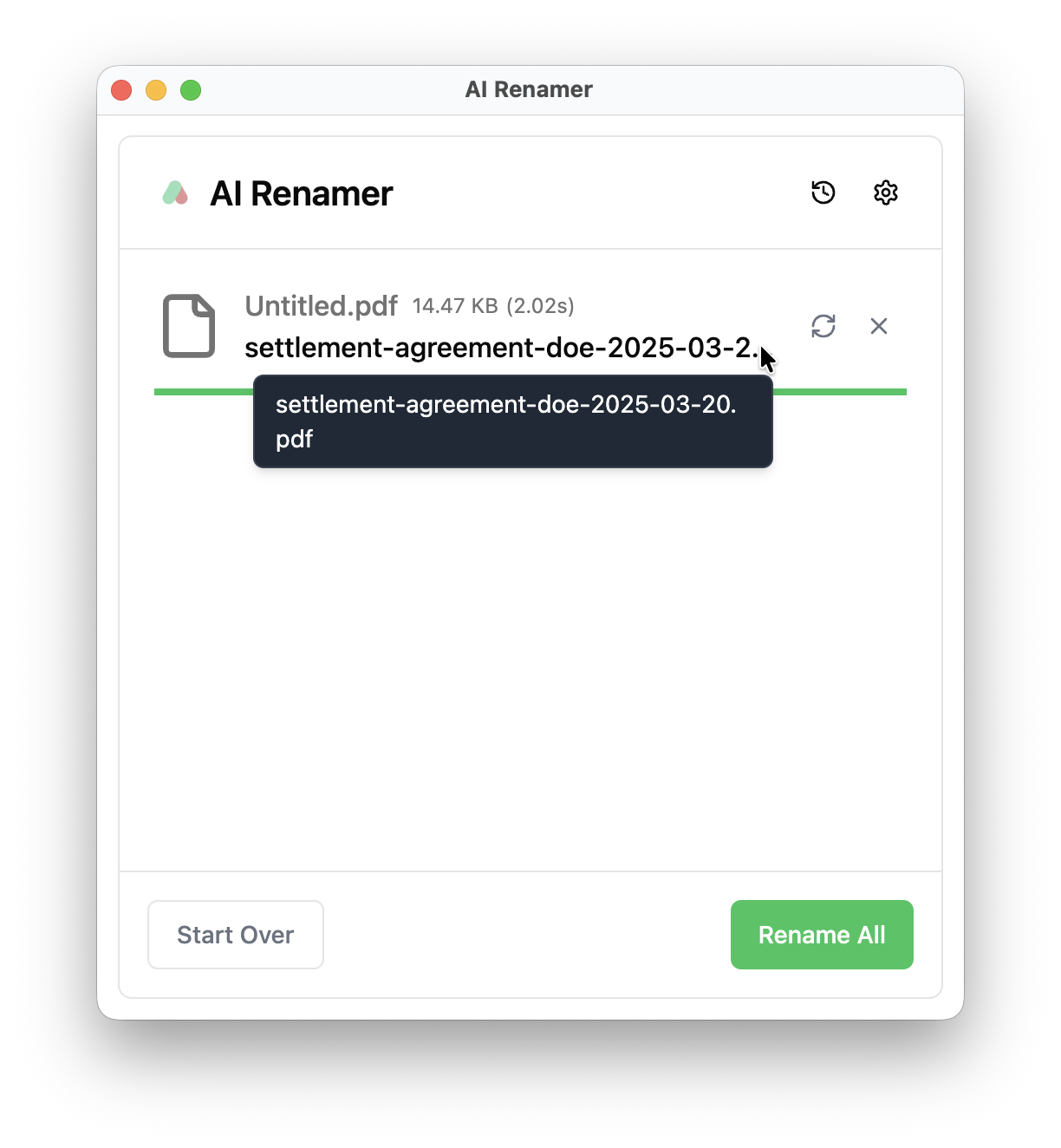 Lawyers and legal teams often receive contracts like this:
Before:
Untitled.pdf
After AI renaming:
settlement-agreement-doe-2025-03-20.pdf
AI can identify:
- Contract type
- Parties involved
- Execution date
For law firms handling dozens of agreements, consistent file naming reduces risk, improves searchability, and keeps client folders clean.
📷 Product Images
Automatically rename product images using AI.
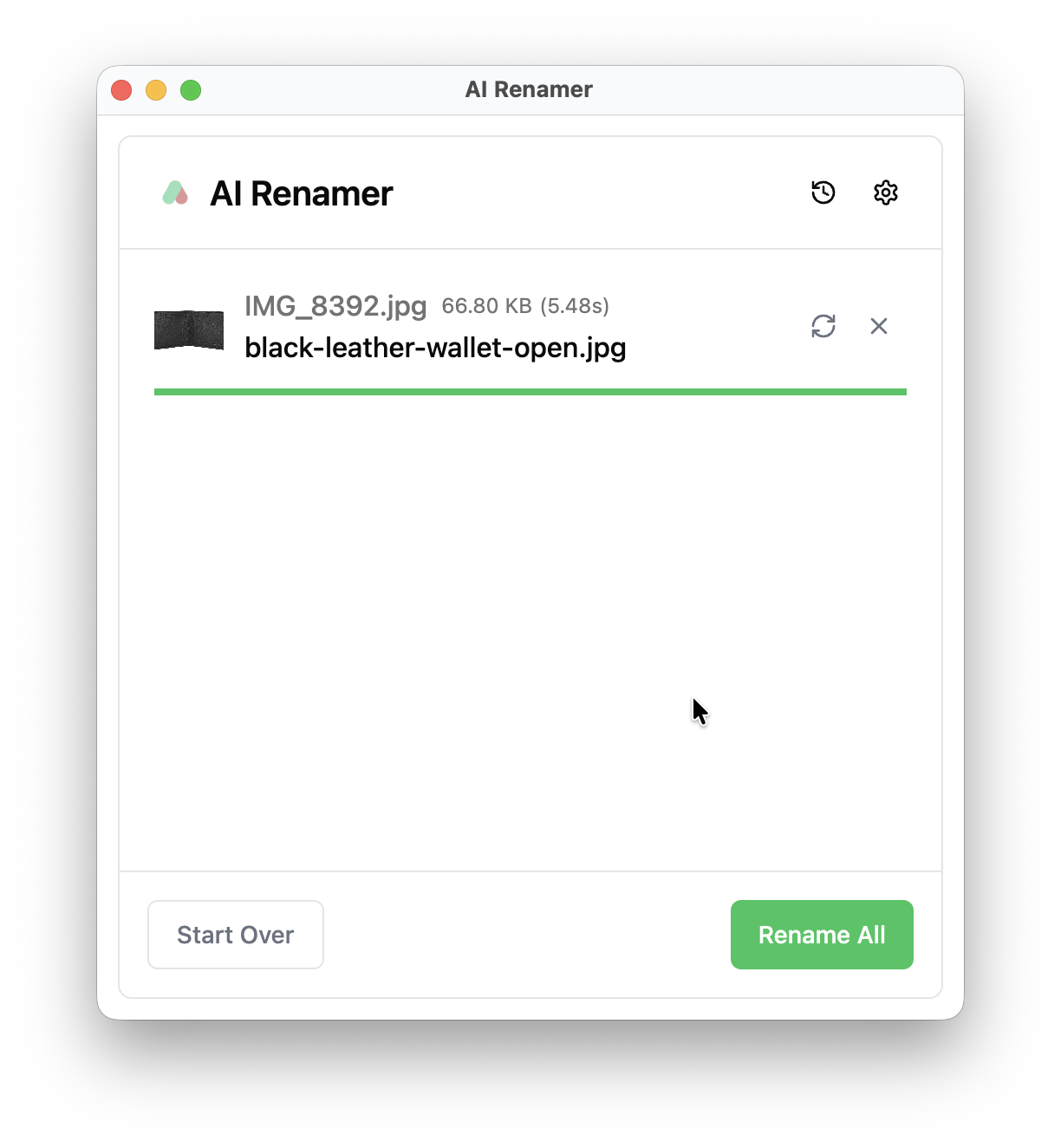 From:
From:
IMG_8392.jpg
To:
black-leather-wallet-open.jpg
AI can analyze image content and generate descriptive filenames that improve internal organization and even SEO for e-commerce sellers.
If you manage product catalogs, AI batch renaming saves hours.
📁 PBC Requests (Audits)
Rename audit files and PBC documents with AI.
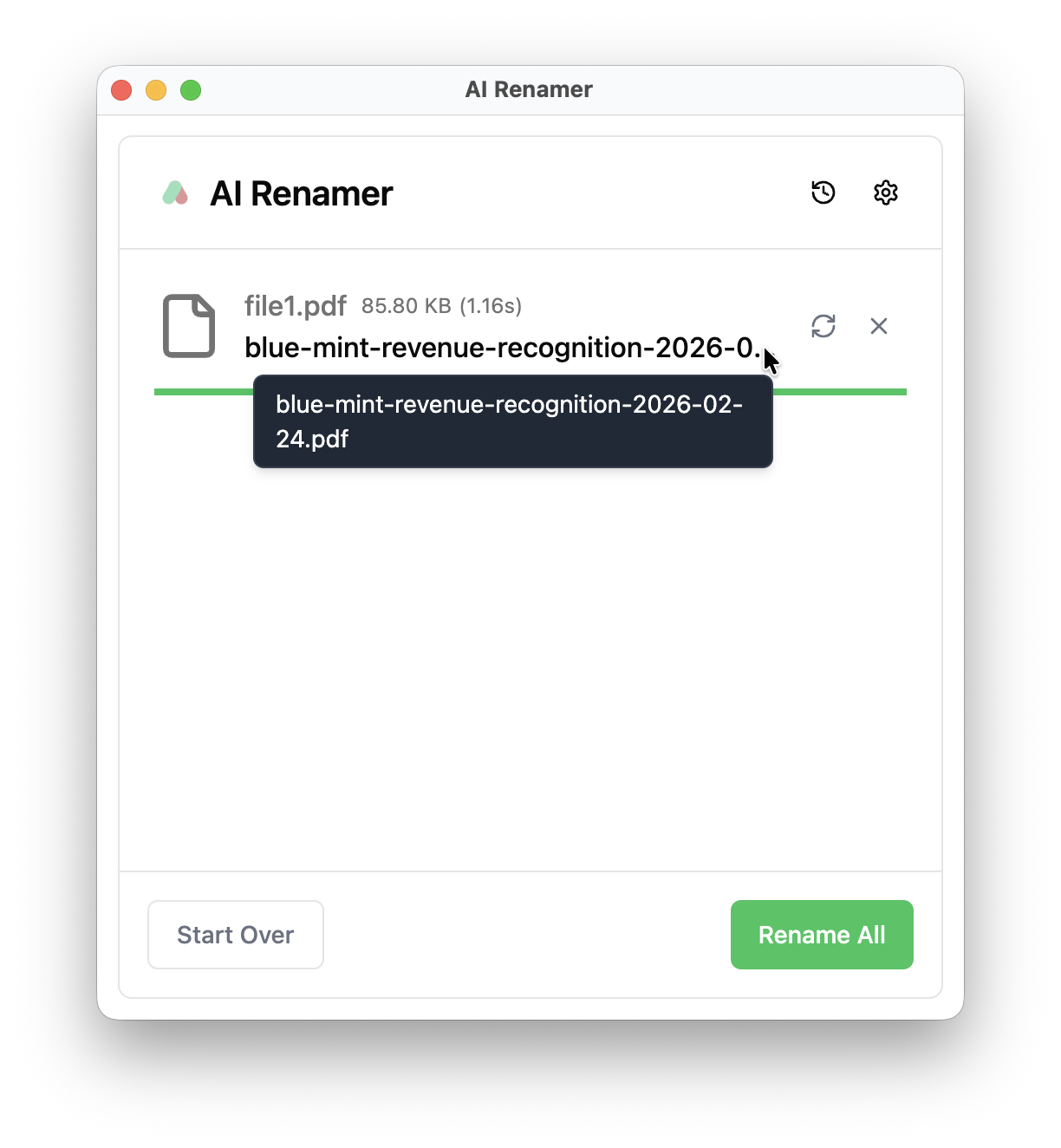 From:
From:
file1.pdf
To:
blue-mint-revenue-recognition-2026-02-24.pdf
When preparing audit documentation, clear filenames matter. AI can detect company names, document topics, and reporting dates automatically.
For accountants, auditors, and finance teams, this dramatically reduces manual file cleanup.
📚 Academic Papers and Research Articles
Rename research papers and academic PDFs automatically with AI.
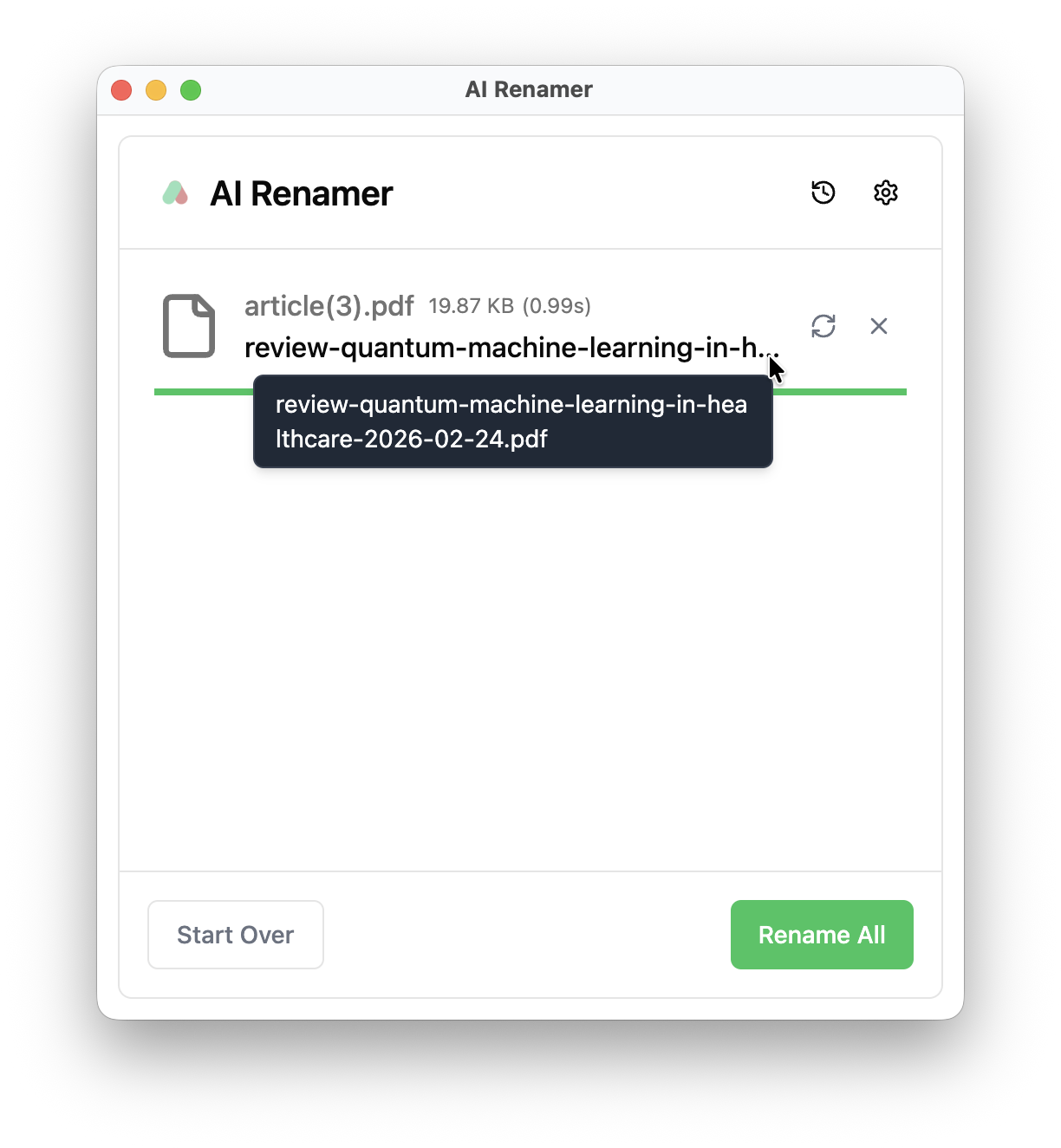 Students and researchers often download files like this:
Before:
article(3).pdf
After AI renaming:
review-quantum-machine-learning-in-healthcare-2026-02-24.pdf
AI can extract:
- Paper title
- Publication year
- Research topic
For students and researchers managing dozens of downloaded PDFs, AI-powered file renaming improves organization and makes future searches easier.
👩💼 HR Resumes and CVs
Rename resumes and CV files automatically using AI.
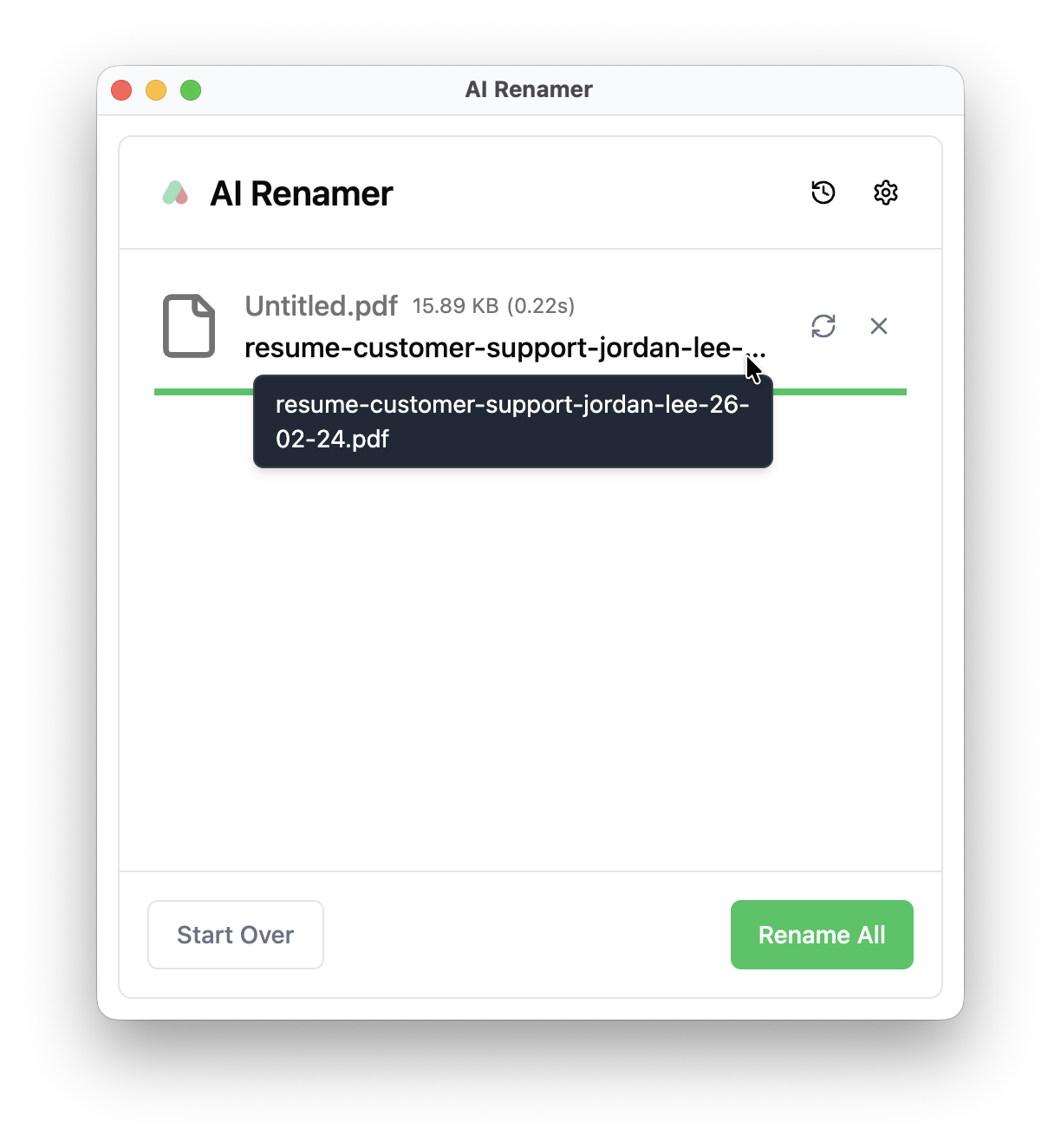 HR professionals often download resumes named like this:
Before:
Untitled.pdf
After AI renaming:
resume-customer-support-jordan-lee-26-02-24.pdf
AI can detect:
Candidate name
Target role
Experience keywords
For HR professionals and recruiters, this simplifies candidate filtering and keeps hiring pipelines organized.
See more practical examples here:
10 Professional Use Cases for AI File Renaming Tool
How Does AI Rename Files?
AI file renaming tools typically:
- Analyze file contents (PDFs, images, documents)
- Extract meaningful information
- Apply custom instructions
- Preview the result
- Rename all files
Some tools work in the cloud. Others support local/offline models for privacy.
Is It Safe to Use AI for Renaming Sensitive Files
This is a common concern.
If you’re working with financial records, legal contracts, HR documents, or unpublished research, privacy matters.
AI Renamer offers two modes depending on your needs.
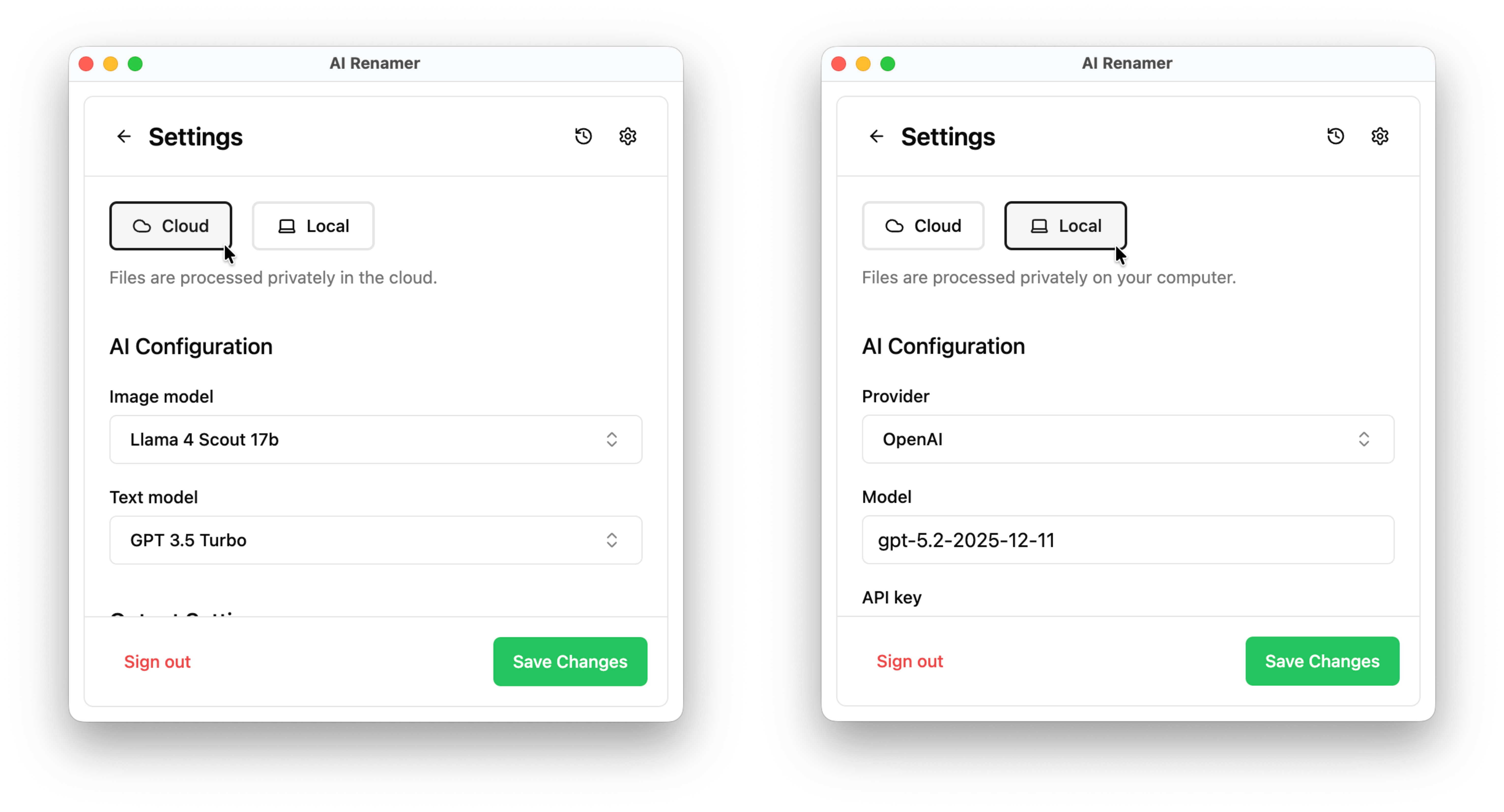
Cloud Mode
Cloud Mode uses hosted AI models and works instantly. Files are processed privately in the cloud.
You pay per credit, and each rename uses one credit.
No model setup required.
Just upload, preview, and rename.
This is ideal if you want:
- Zero configuration
- Fast setup
- Simple usage
- Pay-as-you-go flexibility
Local Mode
Local Mode gives you full control over your AI provider. Files are processed privately on your computer.
You can connect:
- Local AI models using Ollama or LM Studio
- API providers like OpenRouter, OpenAI, Google AI Studio, and Groq
Local Mode is ideal if:
- You want unlimited renaming with a one-time payment
- You prefer using your own API keys
- You work with sensitive files and want maximum control
Local Mode includes:
- One-time payment
- Unlimited renaming
- Offline support with local AI models
- Online support with API AI providers
AI Renamer never stores your files. It only analyzes them to generate better filenames and does not modify document content. In Local Mode, processing can happen entirely on your computer.
You choose the level of control and privacy that fits your workflow.
AI Renamer works on both Mac and Windows. Installation takes just a few minutes.
For Mac users: How to Install AI Renamer on macOS (Step-by-Step with Screenshots)
For Windows users: How to Install AI Renamer on Windows (Step-by-Step with Screenshots)
No complex setup required.
Can You Batch Rename Files with AI?
Yes.
Modern AI renaming tools support:
- Multiple files at once
- Entire folders
- PDFs + images
- Renames the existing file
This is especially useful for:
- Monthly bank statements
- Bulk invoices
- E-commerce product images
- Scanned archives
- Research papers
Instead of spending 2 hours renaming, you can do it in seconds.
When Should You Use an AI File Renamer?
AI renaming makes sense when:
- You deal with repetitive documents
- You manage client folders
- You need consistent naming conventions
- You prepare audit workpapers
- You organize digital archives
If you only rename 2–3 files occasionally, manual is fine.
If you rename 50+ files per month? AI saves serious time.
Final Answer: Can You Use AI to Rename Files?
Yes.
AI can:
- Understand your documents
- Generate clean, descriptive filenames
- Apply consistent formatting
- Save hours of manual work
And if privacy matters, you can use tools that run locally on your machine. If renaming files is wasting your time every week, AI Renamer fixes it in minutes.
Download it and rename your first batch today.