How to Automatically Rename Product Images for E-commerce Sellers Using AI

A Fast and Private Way to Batch Rename Product Images for Your Online Store
E-commerce sellers handle hundreds or thousands of product photos across:
- Shopify, WooCommerce, BigCommerce stores
- Amazon, Etsy, eBay, and marketplace listings
- Product launches, variants, and seasonal campaigns
- User-generated content and lifestyle images
But cameras, phones, and design tools save files using unhelpful names like:
DSC_1045.JPGIMG_5401.PNGfinal_final_product3.pngScreenshot 2025-03-07 at 12.03.11.png
This makes it harder to:
- Keep your product library organized
- Find the right image for each SKU or variant
- Maintain consistent naming for SEO
- Reuse images across channels (web, social, marketplace)
Manually renaming product images is slow, error-prone, and doesn’t scale once your catalog grows.
If you’re new to AI Renamer, start with our quick overview:
In this guide, you’ll learn how to automatically rename product images using AI so your catalog, folders, and SEO stay clean with almost zero manual work.
Why Product Images Are Hard to Organize
Product photos usually come from:
- Photo shoots (camera dumps)
- Designers (edited exports)
- Suppliers (random filenames)
- Marketplaces (downloaded archives)
So you end up with filenames like:
IMG_20250311_140553.jpgD_9238.PNGproduct-new-final-v3.pngUntitled-1.webp
Over time, this creates real problems:
- ✅ Hard to match images to SKUs / variants
- ✅ Duplicate or outdated images in your store
- ✅ Inconsistent naming across Shopify / Amazon / Etsy
- ✅ Confusing folders for your team or VAs
- ✅ Missed SEO opportunities (filenames matter)
An AI-powered batch renamer fixes this by turning random filenames into clear, structured product image names automatically.
How AI Renamer Helps E-commerce Sellers
 AI Renamer analyzes the visual content of each image, uses metadata when available, and optionally follows your custom naming rules to generate useful filenames for product images.
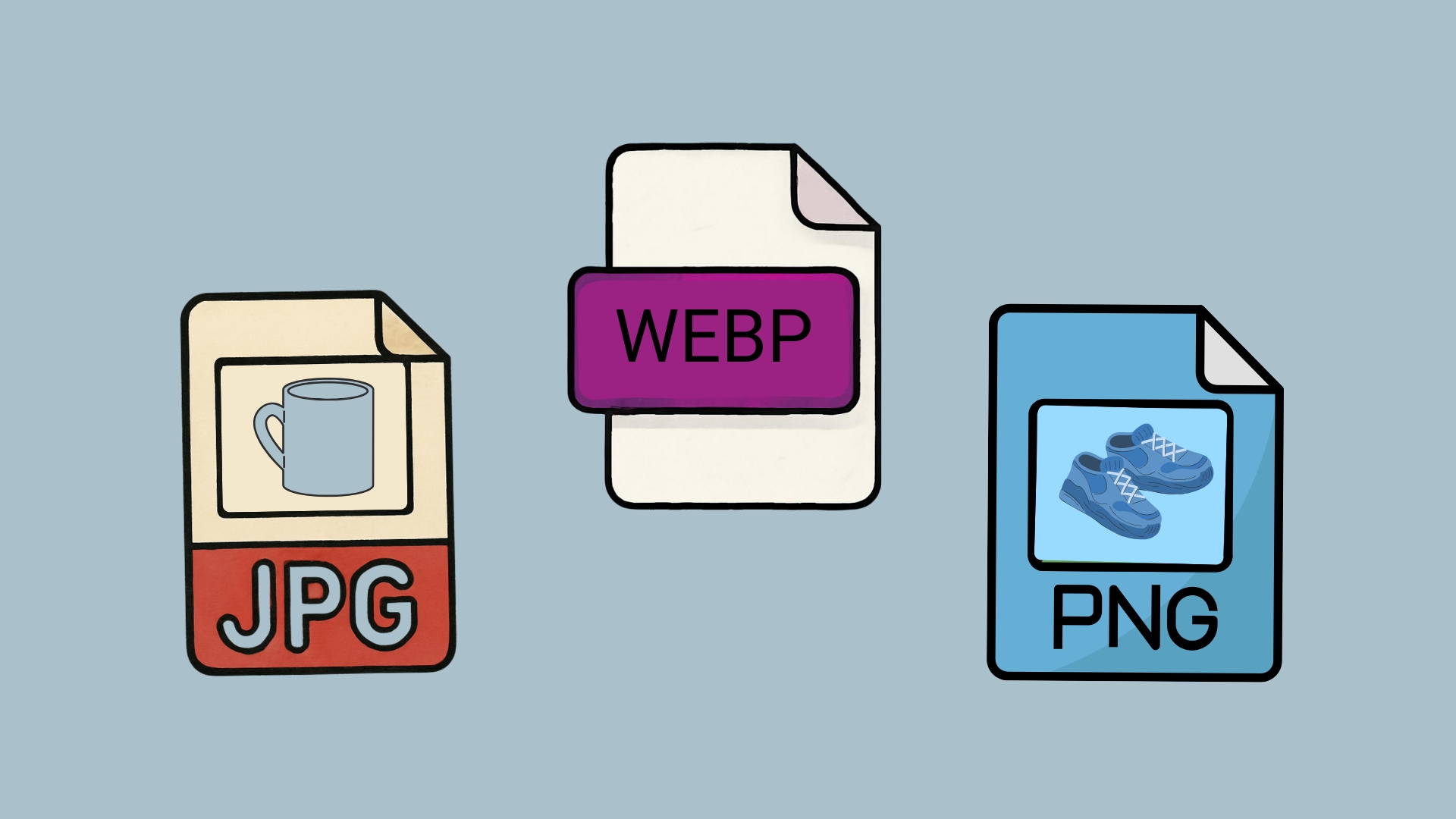
Supported Image Formats
AI Renamer works with the most common e-commerce image types:
- JPG / JPEG
- PNG
- WEBP
- GIF
- BMP
- TIFF
Perfect for:
- Product photos (front, back, side, detail shots)
- Lifestyle images
- Packshots and flat lays
- Infographics and feature images
- Category banners and hero images
What You Can Do With AI Renamer
With AI Renamer, e-commerce sellers can:
- Batch rename hundreds of product images at once
- Keep everything private using Local Mode
- Apply consistent naming patterns like
brand-category-product-color-angle - Preview names before applying changes
- Detect visible product attributes (category, color, type, context)
- Use AI instead of manual renaming or fragile scripts
The focus is always on renaming first – better SEO, organization, and workflows are natural side effects.
How to Automatically Rename Product Images with AI (Step-by-Step Guide)
1. Download AI Renamer
 Download the desktop app for macOS or Windows from airenamer.app. Setup takes under a minute.
Need installation help?
2. Choose Local Mode or Cloud Mode
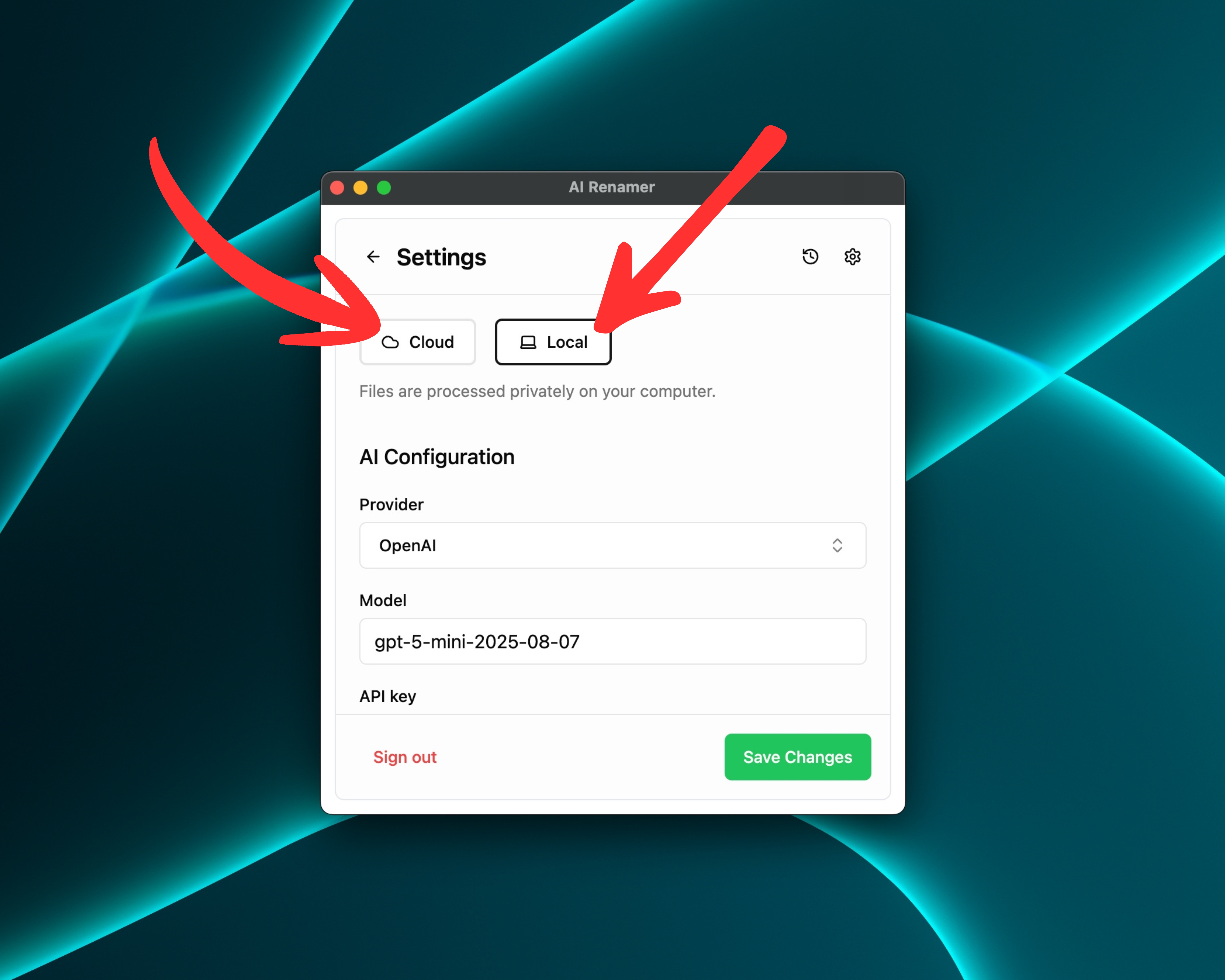 You can choose how AI Renamer processes your product images:
Local Mode
- Use your own AI model via Ollama, LM Studio, or custom API keys
- Files stay on your device for maximum privacy
- No cloud file size limits
- Best option if you work with confidential catalogs, unreleased products, or large batches
Cloud Mode
- Use built-in cloud models with prepaid credits
- 1 rename = 1 credit
- Great for quick sessions or smaller teams
Both modes support batch renaming of product images.
3. Add Your Product Image Files
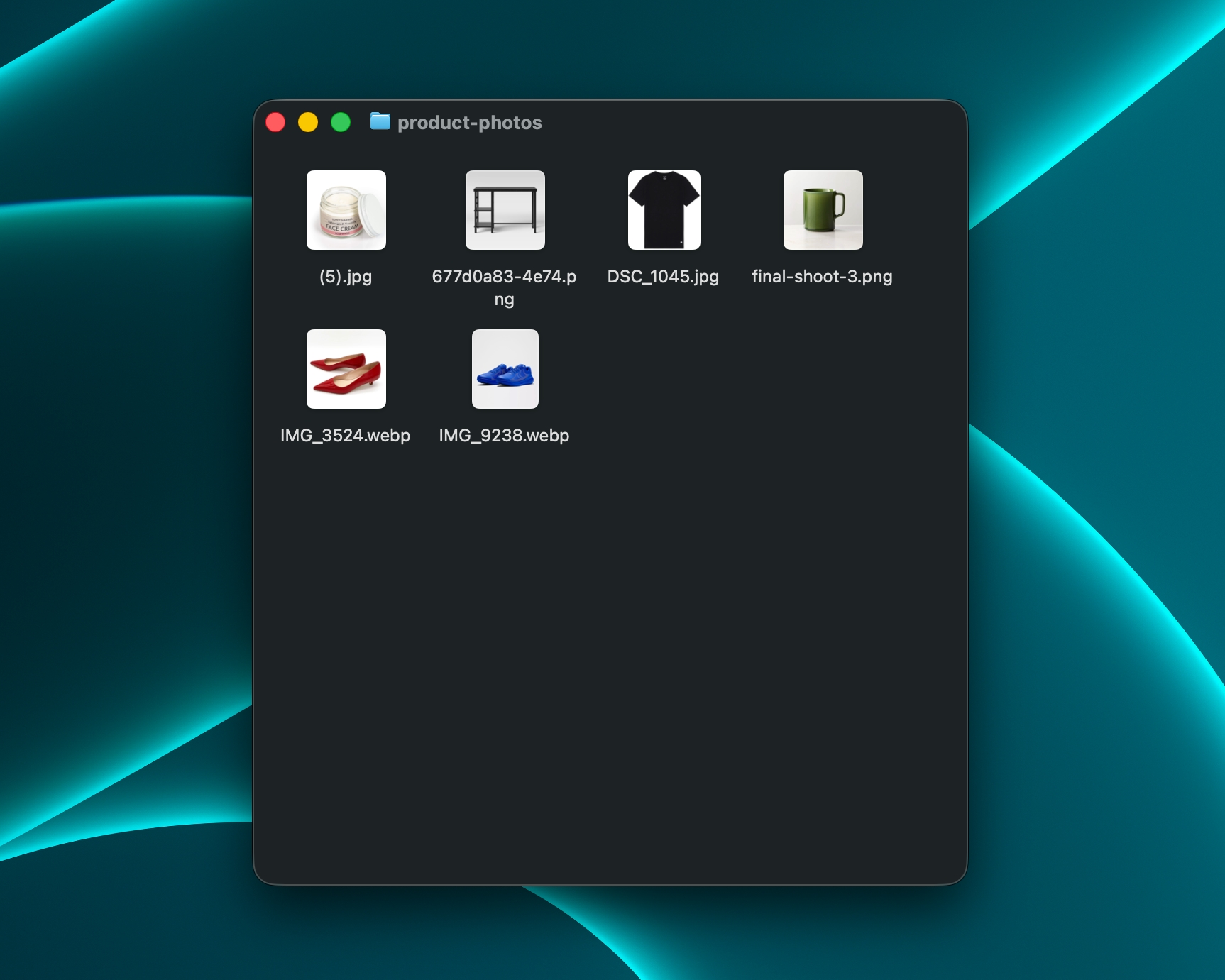
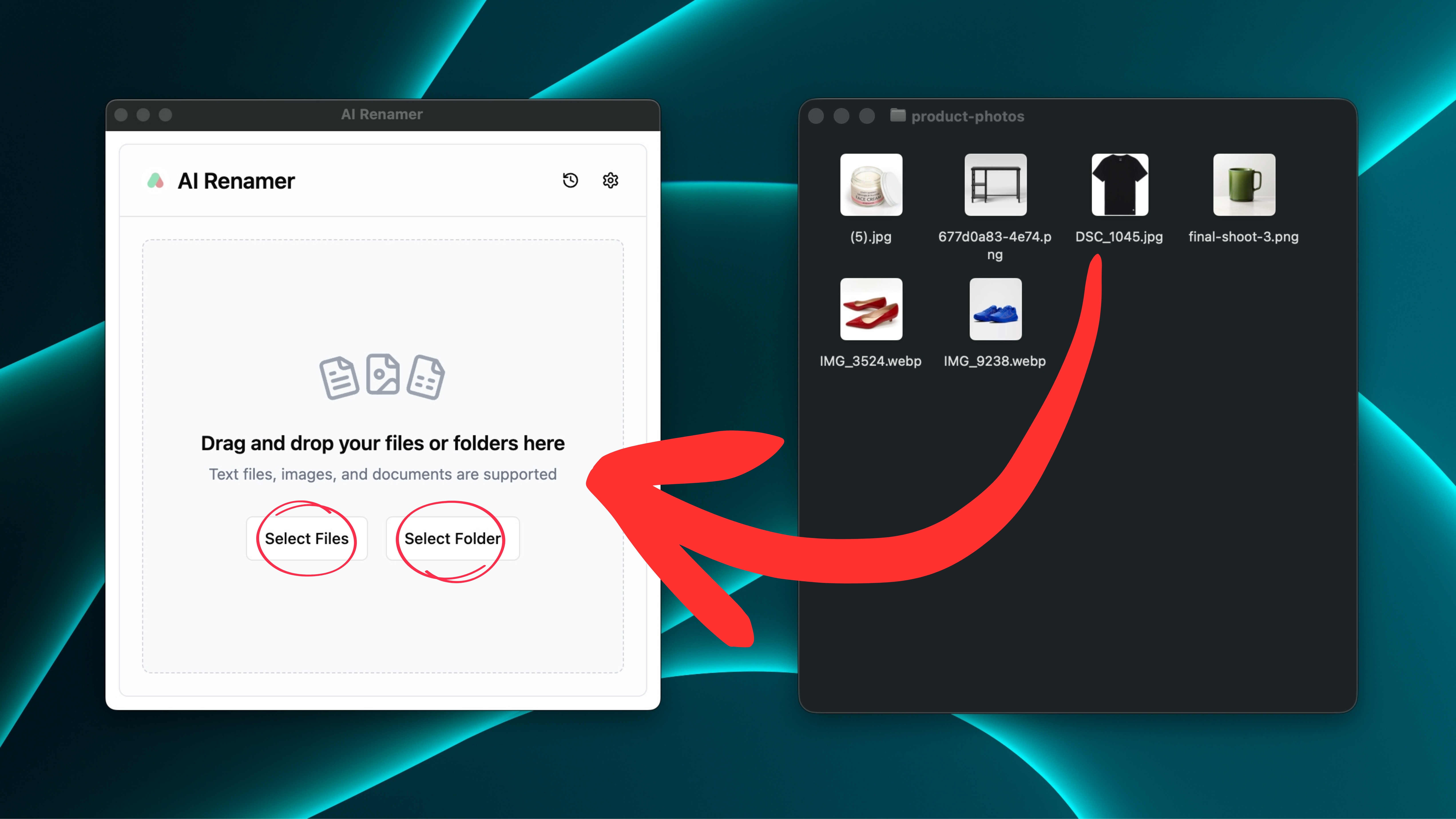 Drag and drop any folder that contains your images, such as:
product-photos/shopify-uploads/amazon-listings/new-collection-2026/
AI Renamer scans each image and prepares naming suggestions by looking at:
- Visual content (for example: shirt, shoes, mug, laptop)
- General attributes (color, style, context, background)
- Metadata where available (date, orientation, sometimes camera info)
You can mix images from different sources in a single batch: camera dumps, edited files, supplier images, and more.
4. Preview the AI-Generated Names
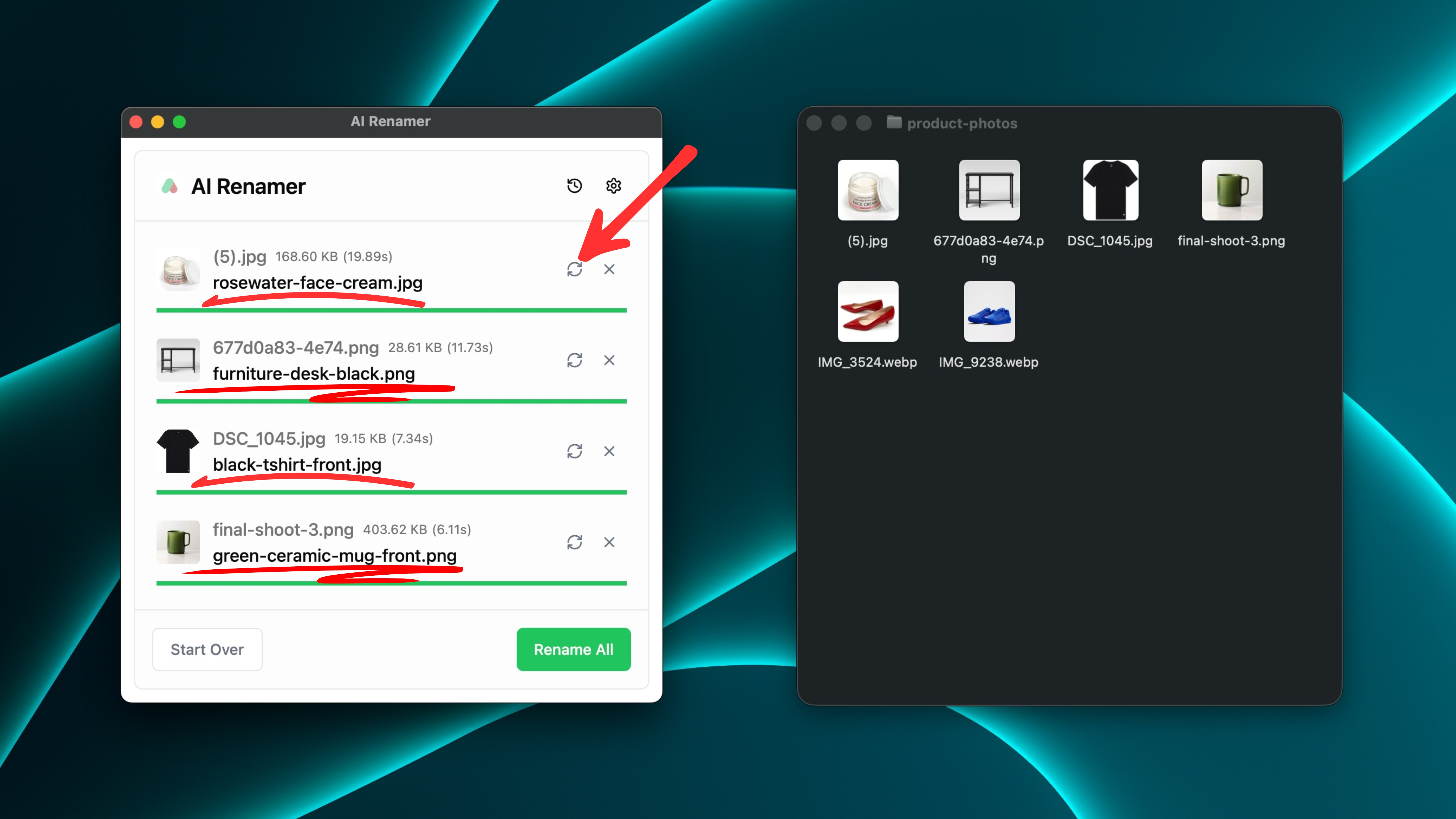 AI Renamer suggests a descriptive filename for each image.
Instead of:
IMG_9238.JPG
You might see:
tshirt-black-cotton-front.jpg
Instead of:
DSC_1045.JPG
You might see:
sneakers-white-running-sideview.jpg
You can:
- Scroll through every suggestion
- Click Regenerate if a suggestion doesn’t fit
- Confirm everything before renaming your actual files
This makes it safe even for large, critical product libraries.
5. Rename All Product Images in One Click
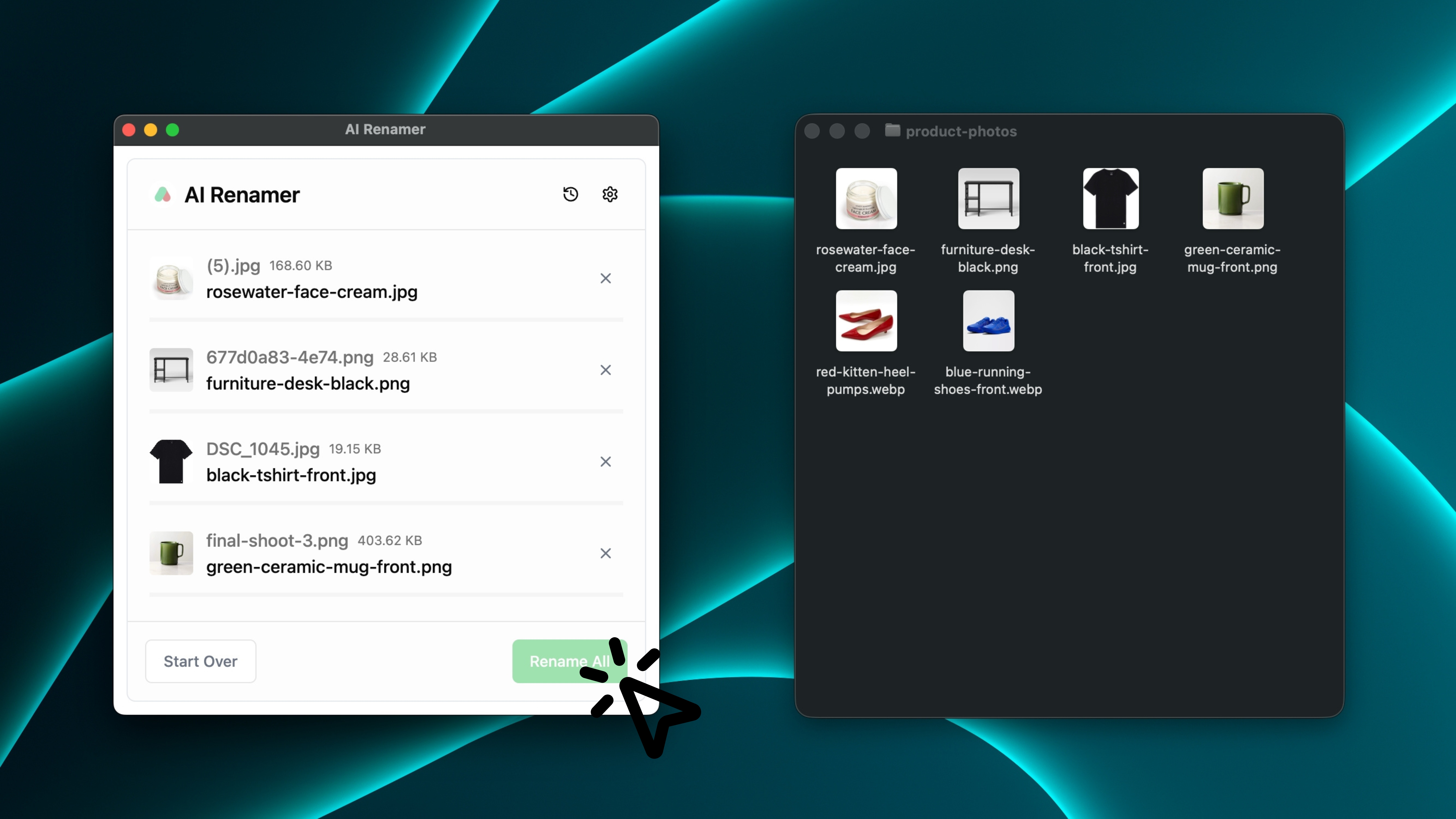 Once you’re happy with the preview:
- Click Rename All
AI Renamer will instantly update the filenames on disk.
Results:
- Clean, descriptive product image filenames
- Easier mapping to SKUs and variants
- Better organization for you, your team, and your VAs
- Stronger foundation for SEO-friendly images across your store and marketplaces
How to Create SEO-Friendly Filenames for Product Images
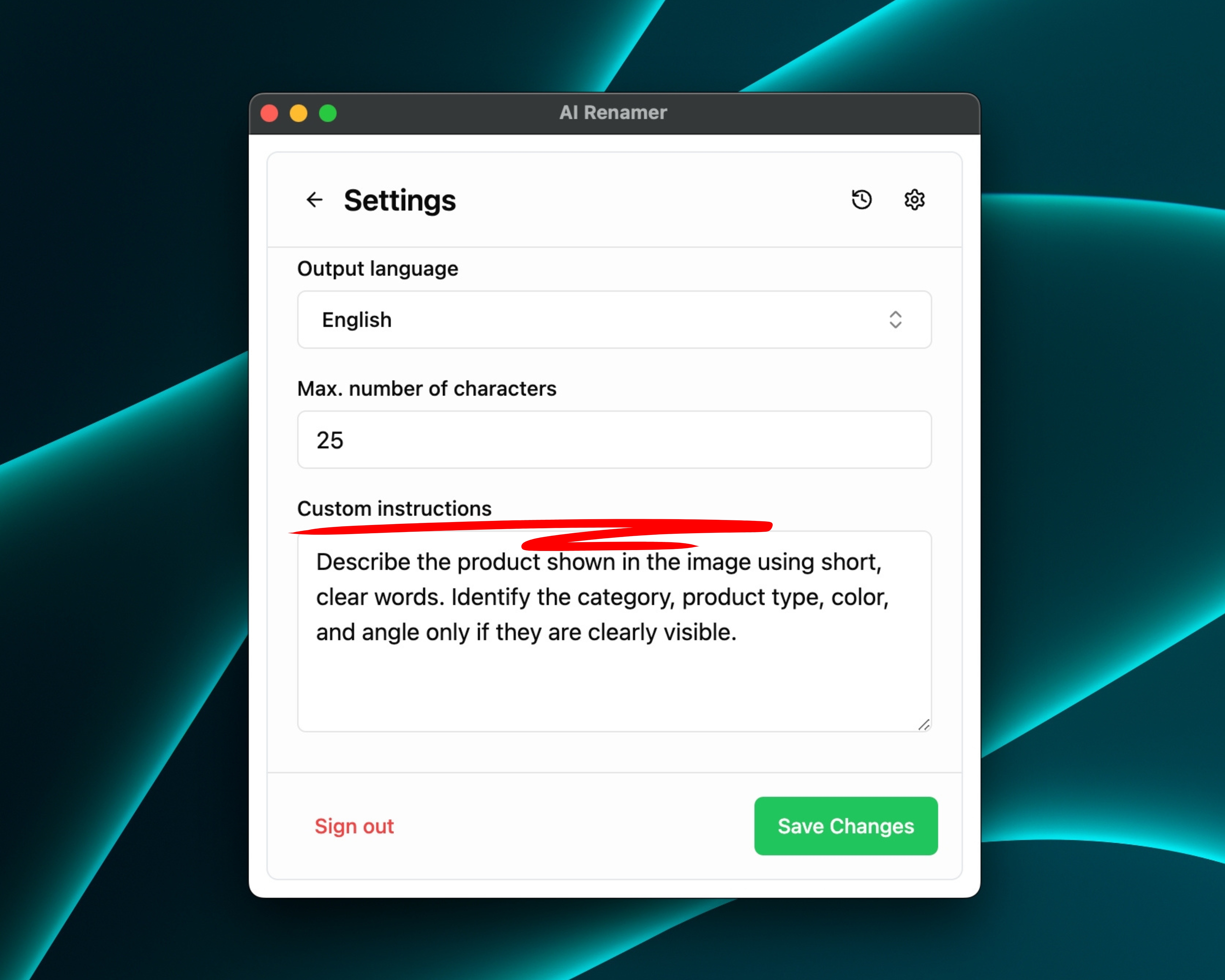 This is where e-commerce sellers really win.
Custom Instructions tell the AI how to describe what it sees in the image.
AI Renamer’s Settings handle formatting, hyphens, lowercase, and other filename rules, so your instruction should stay simple and focused on the visual content.
Example Custom Instruction
You could write something like:
“Describe the product shown in the image using short, clear words.
Identify the category, product type, color, and angle only if they are clearly visible.”
AI Renamer then transforms filenames like:
IMG_5401.JPGDSC_1045.JPGfinal-shoot-3.png
into:
tshirt-basic-black-front.jpgsneakers-running-white-side.jpgmug-ceramic-green-handle.jpg
You get consistent, SEO-friendly filenames without manually typing every detail.
For more workflow ideas, check out:
👉 10 Professional Use Cases for AI File Renaming Tool
Before and After: Product Image Examples
Here are a few example transformations that show how AI Renamer turns messy product image filenames into clear, structured names you can actually use.
These before/after examples reflect real e-commerce scenarios: camera dumps, supplier images, and design exports that need to be renamed into readable, consistent product image files.
Example 1: T-Shirts (Clothing)
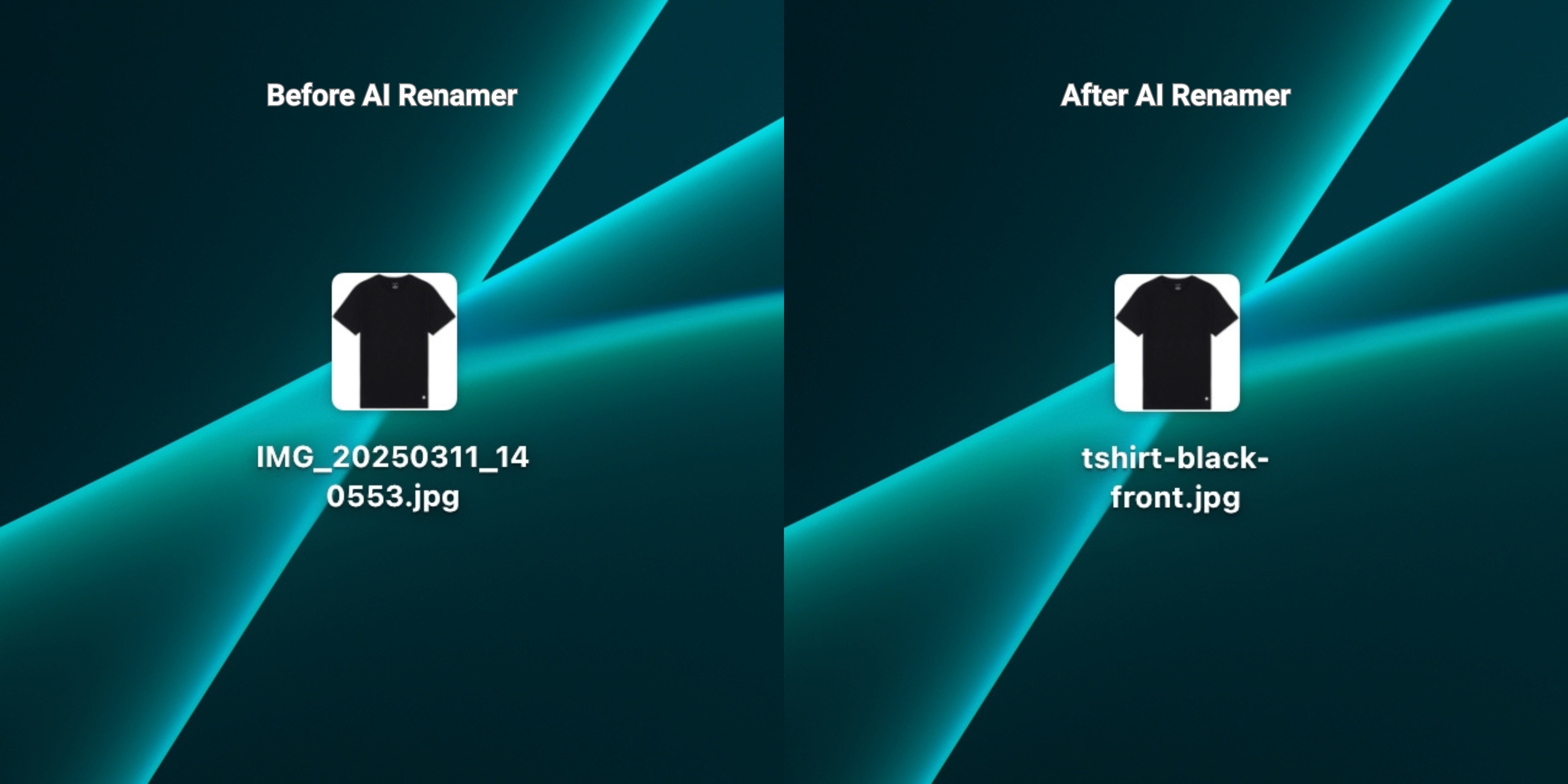 Before:
IMG_20250311_140553.jpg
Custom Instruction:
“Rename clothing images using: {category}-{color}-{angle}.”
After:
tshirt-black-front.jpg
AI Renamer can often detect:
- The garment type (t-shirt, hoodie, dress, pants)
- Dominant color
- Angle (front, back, side, flat lay, detail)
Example 2: Shoes (Footwear)
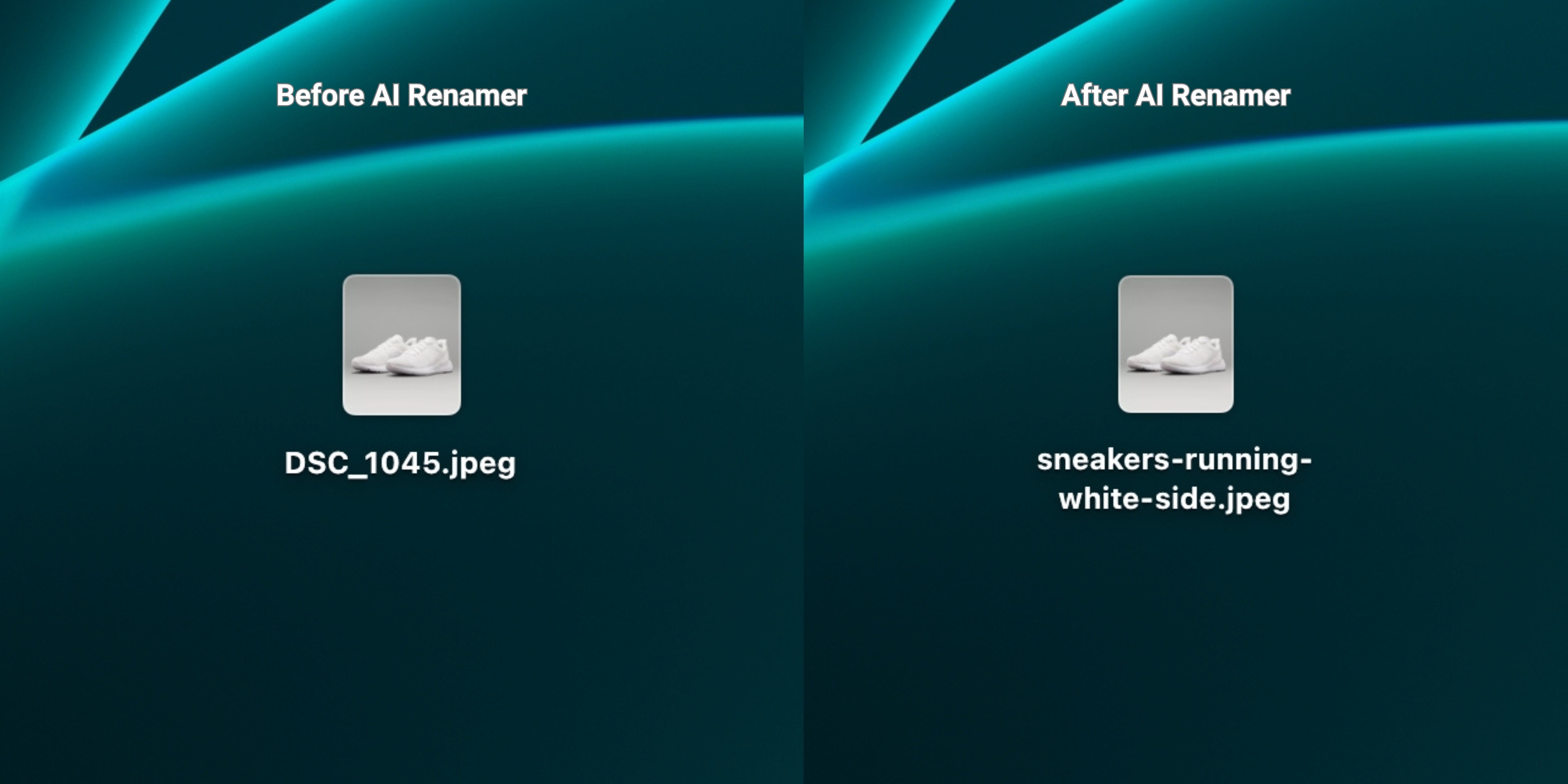 Before:
DSC_1045.JPG
Custom Instruction:
“Rename footwear images using: {category}-{usage}-{color}-{angle}.”
After:
sneakers-running-white-side.jpg
AI Renamer can often identify:
- Shoe type (sneakers, heels, boots, sandals)
- Use case (running, casual, formal if visually clear)
- Visible color(s)
- Angle (side, top, angled, pair)
Example 3: Home & Kitchen
 Before:
final_final_product3.png
Custom Instruction:
“Rename using this pattern: {category}-{material}-{color}.”
After:
mug-ceramic-red.png
AI Renamer detects:
- General object type (mug, plate, bowl, chair, lamp)
- Approximate material (ceramic, wood, metal, glass)
- Dominant color
Example 4: Beauty & Cosmetics
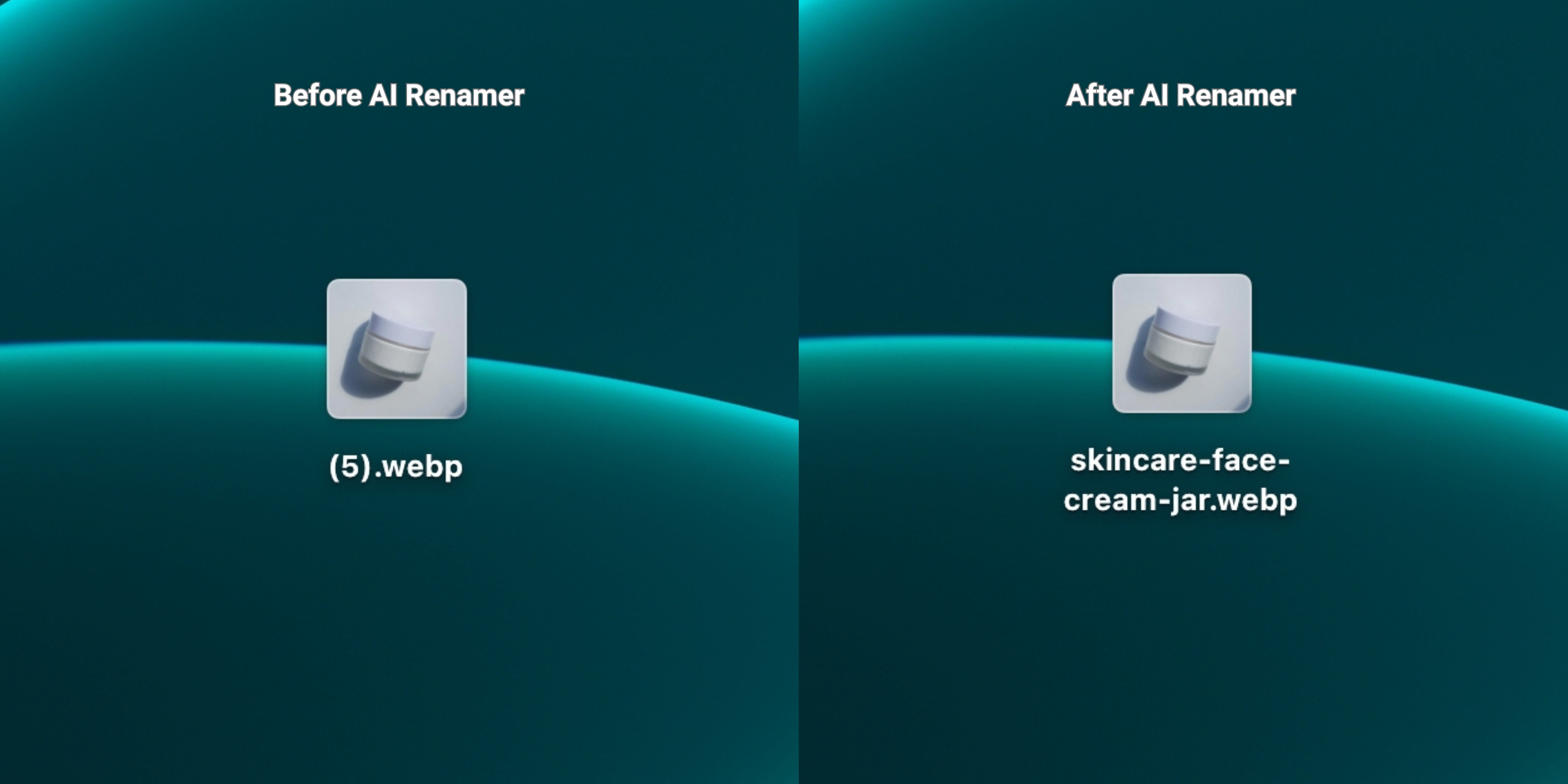 Before:
(5).webp
Custom Instruction:
“Rename cosmetics images as: {category}-{product-type}.”
After:
skincare-face-cream-jar.webp
AI Renamer may detect:
- Tube vs jar vs bottle
- General product type (cream, serum, lipstick)
- Key visual elements (pump, dropper, stick)
Example 5: Furniture Product Images
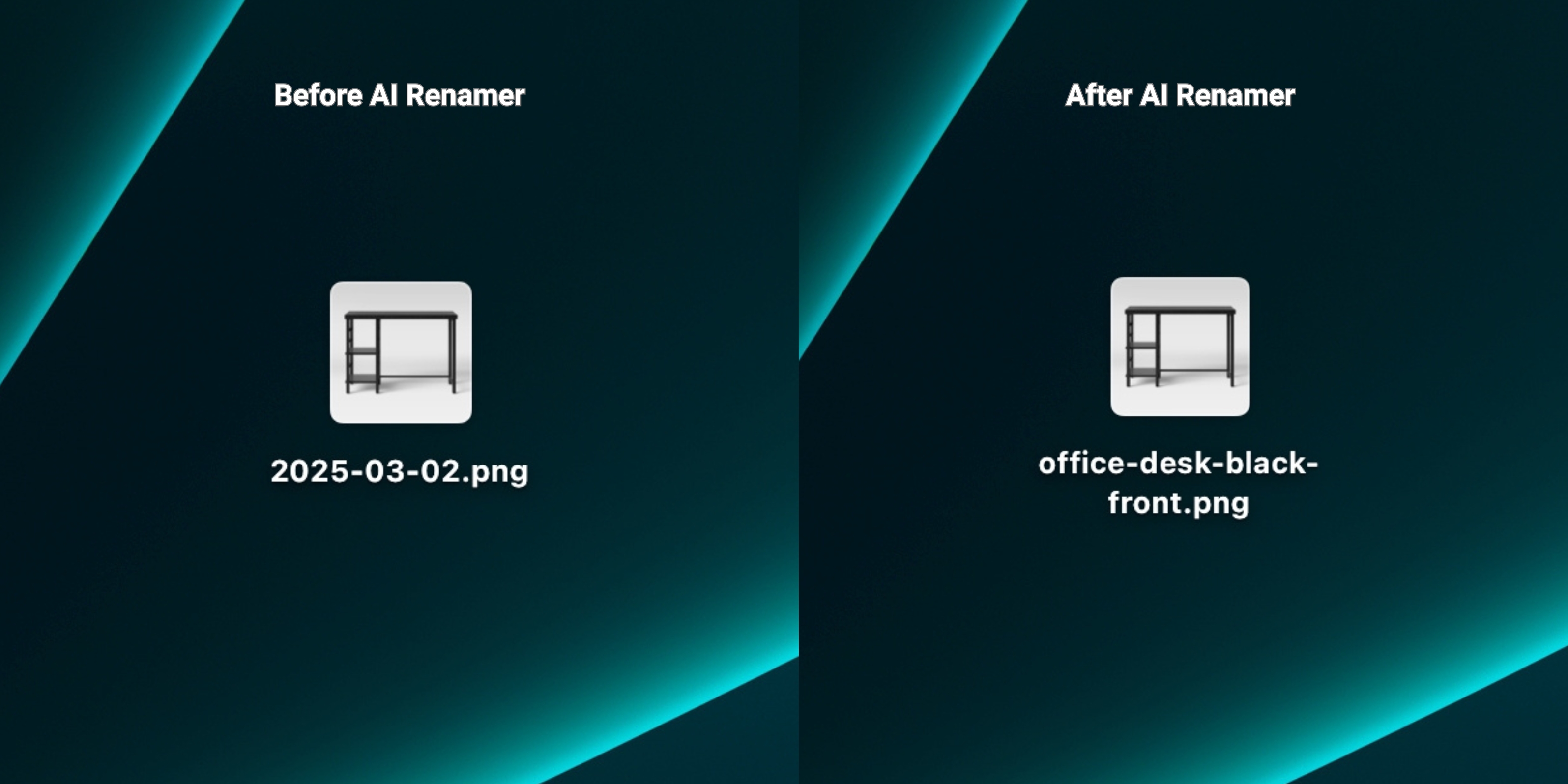 Before:
2025-03-02.png
Custom Instruction:
"Describe the furniture shown in the image using clear, simple words.
Include the furniture type, color, and view if they are obvious."
After:
office-desk-black-front.png
AI Renamer can identify:
- The type of furniture (desk, chair, table, shelf)
- The dominant color
- The general view or angle (front, side, angled)
- Whether the item appears in a home or office setting
How This Helps With SEO and Store Management
AI Renamer is not an SEO tool, but better filenames support:
- Cleaner media libraries in Shopify / WooCommerce
- Easier mapping when importing via CSV
- Clearer images for VAs and team members
- More descriptive filenames that align with your product keywords
Instead of a folder full of IMG_9238 and DSC_1045, you get:
tshirt-black-front.jpgsneakers-running-white-side.jpgmug-ceramic-white.jpg
That makes your entire e-commerce workflow smoother.
For more workflow examples (including photographers and UI designers), check out:
👉 10 Professional Use Cases for AI File Renaming Tool
Frequently Asked Questions
Does AI Renamer work for large product catalogs?
Yes. Batch renaming is a core feature of AI Renamer. You can simply drag in your folders and rename everything in one pass with no manual effort required.
Can AI Renamer read SKUs or tags from my store directly?
No. AI Renamer works at the file level. It does not connect to Shopify, WooCommerce, Amazon, or other platforms directly.
However, you can:
- Export product images from your platform
- Use AI Renamer to generate clean, descriptive filenames
- Re-upload or sync them into your store with better names
If you already embed SKUs in filenames, you can include them in your Custom Instructions.
Can AI Renamer rename images for Amazon or Etsy listings?
Yes. AI Renamer doesn’t care where the image will be used.
You can:
- Rename product images for Amazon FBA
- Clean up photos for Etsy handmade listings
- Organize images for eBay, Walmart, or other marketplaces
As long as the file is on your computer and in a supported format, AI Renamer can rename it.
Does AI Renamer identify brands or specific products?
No. AI Renamer focuses on general descriptions only.
It can detect:
- Object type (t-shirt, shoes, mug, lamp)
- Colors and basic materials
- Visual context (indoor, outdoor, lifestyle)
It does not recognize brands or private labels. If you want brand names or SKUs in filenames, you can:
- Add them via Custom Instructions (if you include them in the original name)
- If the name is not what you want, simply click Regenerate to get another option.
Is it private enough for unreleased products?
Yes.
- In Local Mode, everything runs on your machine. Files are never uploaded anywhere.
- In Cloud Mode, files are uploaded only for processing and are deleted after generating rename suggestions. They are not stored or reused.
If you work with unreleased collections or confidential client catalogues, Local Mode is usually the preferred choice.
Can AI Renamer rename lifestyle images, banners, or social assets too?
Yes.
AI Renamer works with:
- Product close-ups
- Lifestyle scenes
- Banners and hero images
- Social media exports (Instagram, TikTok thumbnails, etc.)
You can give different Custom Instructions per batch, depending on how you want those assets named.
Keep Your Product Image Library Clean With Zero Manual Renaming
If your product image folders are full of:
IMG_9238.JPGDSC_1045.JPGfinal_final_product3.png
…you’re not alone. Almost every e-commerce seller starts there.
But it doesn’t have to stay that way.
AI Renamer gives online sellers a fast, private, and customizable way to:
- Batch rename product photos and lifestyle images
- Keep filenames consistent with your catalog and SEO strategy
- Make it easier for you and your team to work with product images.
Instead of losing time renaming images one by one, you can stay focused on:
- Launching new products
- Optimizing listings
- Growing your store revenue
Clean up your product image filenames in minutes.
👉 Try AI Renamer - airenamer.app