
How to Automatically Rename Photos for Real Estate Agents Using AI

A Fast and Private Way to Batch Rename Real Estate Listing Photos
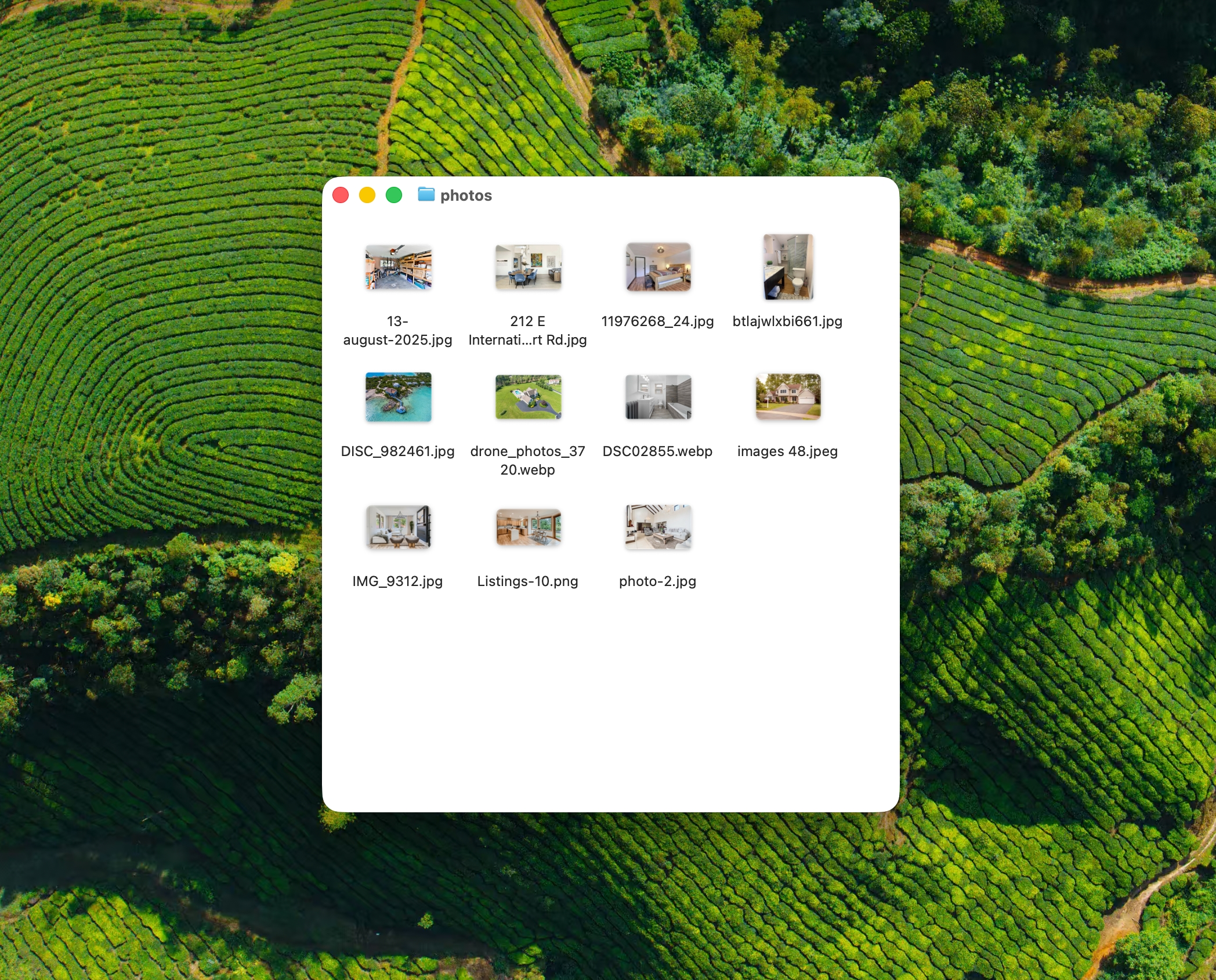
Real estate agents deal with hundreds of photos per listing:
- Exterior shots
- Living rooms and kitchens
- Bedrooms and bathrooms
- Floor plans
- Amenities and details
- Before and after staging photos
- Inspection or walkthrough images
But cameras and phones save everything like:
IMG_4021.jpgDSC_0098.JPGPXL_20260104_143212.jpgScreenshot 2026-01-04.png
Manually renaming listing photos takes time and breaks your flow, especially when you are managing multiple properties at once.
In this guide, you will learn how to automatically rename photos for real estate agents using AI so your folders stay clean, searchable, and easy to reuse.
If you are new to AI Renamer, start here:
Why Real Estate Photos Get Messy So Fast
Real estate photos come from many sources:
- Phone cameras
- DSLR camera dumps
- Drone photos
- Photographers and contractors
- Virtual staging tools
- Screenshots from walkthrough videos
- Team members sending files by email or WhatsApp
Each source uses a different naming system. None of them are designed for real estate workflows.
This leads to problems like:
- Multiple listings mixed together
- Duplicate filenames with numbers added
- Hard to find specific rooms later
- Confusing folders when uploading to MLS or portals
- Extra time spent renaming before every upload
A dedicated AI-powered photo renamer fixes this by generating filenames based on what is actually visible in the photo, not the camera or device that created it.
How AI Renamer Helps Real Estate Agents
 AI Renamer analyzes each image and suggests descriptive filenames automatically.
With AI Renamer, real estate agents can:
- Batch rename hundreds of property photos at once
- Rename images based on visible rooms and features
- Keep everything private using Local Mode
- Apply consistent naming rules using Custom Instructions
- Preview every filename before applying changes
It works for listing photos, walkthrough images, and general property documentation.
Supported Image Formats
AI Renamer supports all common real estate photo formats:
- JPG / JPEG
- PNG
- WEBP
- GIF
- BMP
- TIFF
Perfect for:
- Listing photos
- Drone images
- Screenshots
- Inspection photos
- Staging comparisons
How to Automatically Rename Real Estate Photos Using AI
1. Download AI Renamer
 Download the desktop app for macOS or Windows:
Need installation help?
2. Choose Local Mode or Cloud Mode
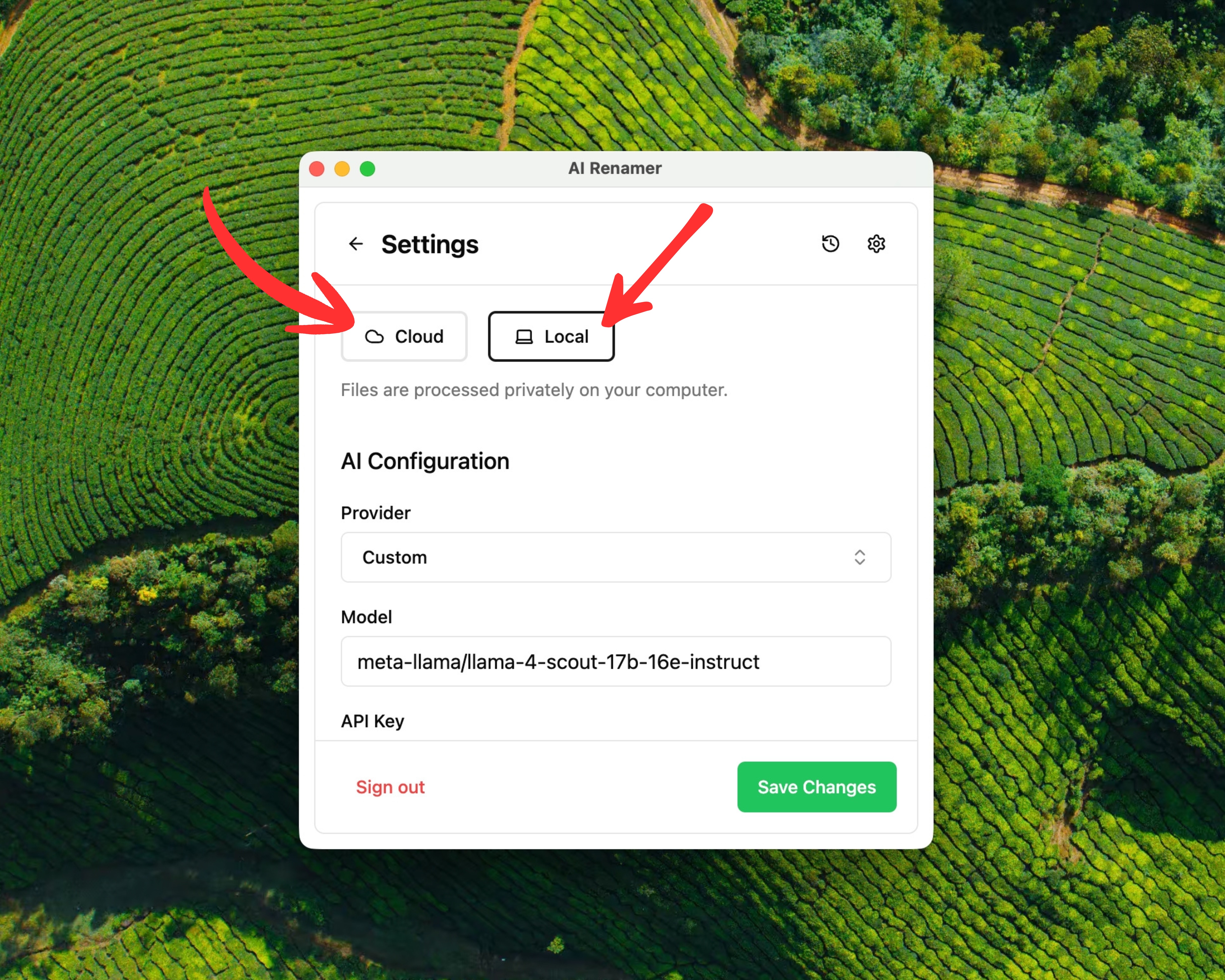 Local Mode (recommended for real estate agents)
- Runs fully on your computer
- Unlimited renaming
- No file size limits
- Best for client privacy and large listings
Cloud Mode
- Uses built-in AI models
- 1 rename equals 1 credit
- Good for quick cleanups
Both modes fully support photo renaming.
3. Add Your Property Photo Folder
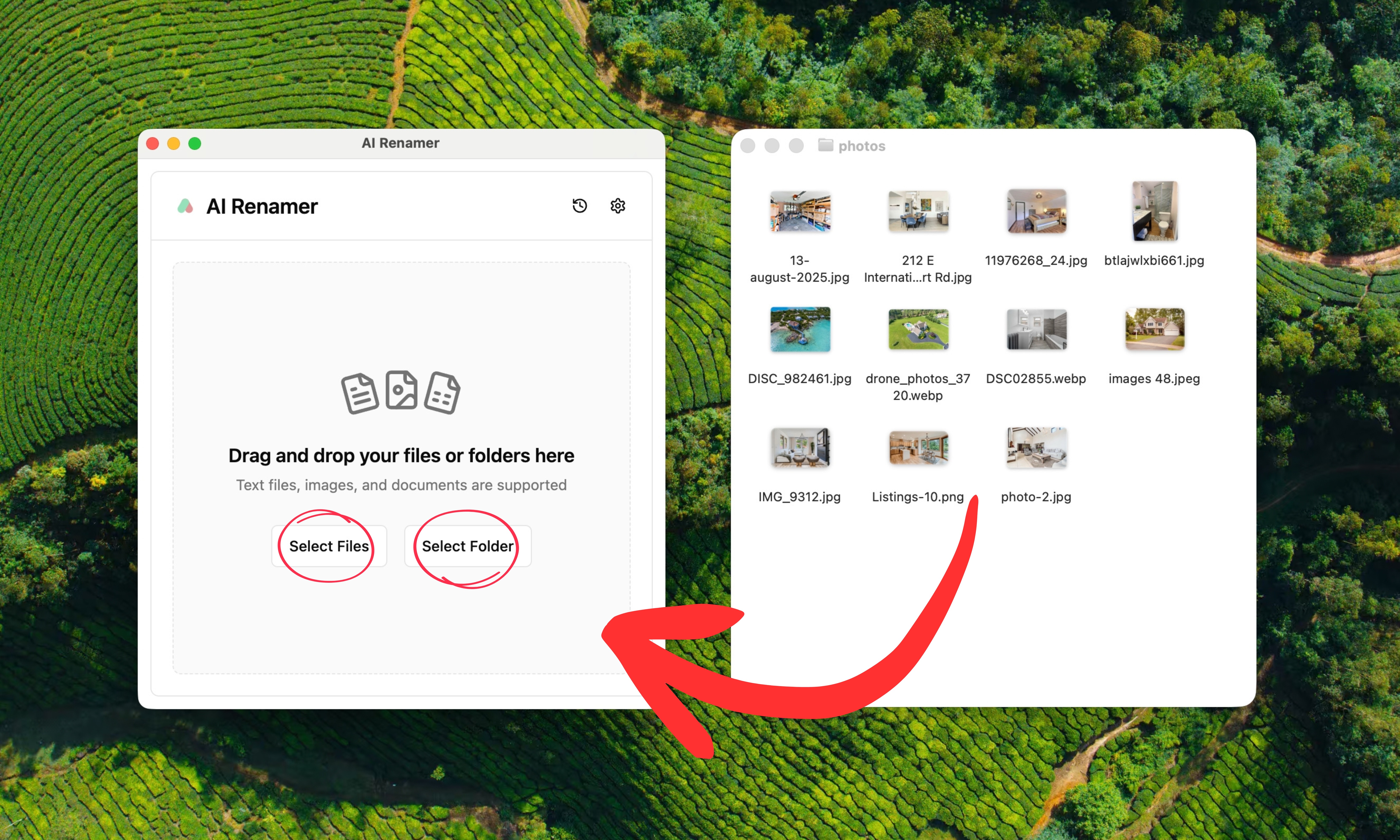 Drag and drop folders like:
123-main-st-listing/open-house-photos/new-listing-photos/drone-shots/
AI Renamer scans each image and prepares filename suggestions based on what it sees in the photo.
4. Preview the AI-Generated Filenames
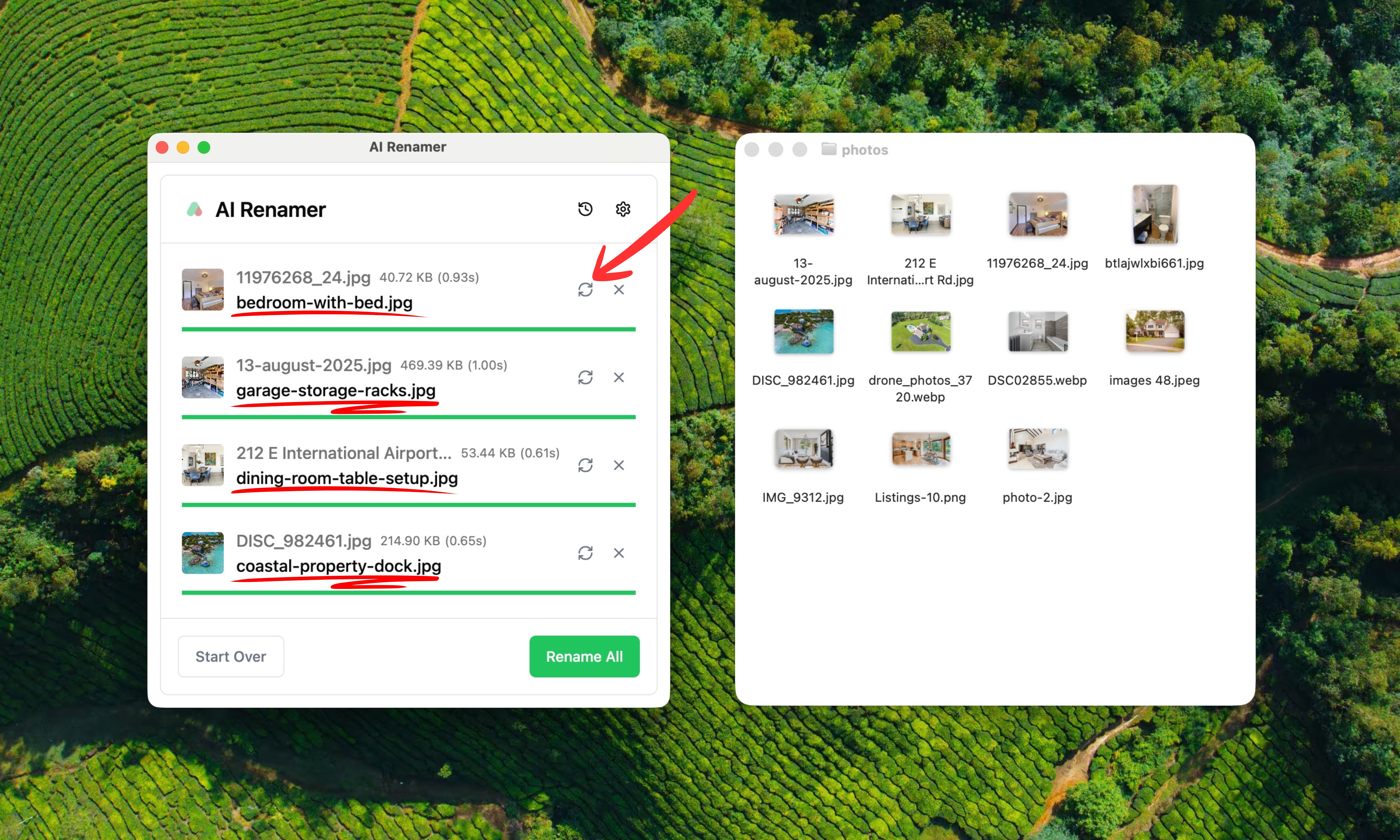 Before:
IMG_4021.jpgDSC_0098.JPGPXL_20260104_143212.jpg
After preview:
exterior-front-house.jpgkitchen-island-dining-area.jpgmain-bedroom.jpg
You can:
- Click Regenerate
- Adjust Custom Instructions
- Review everything before applying changes
5. Rename Everything in One Click
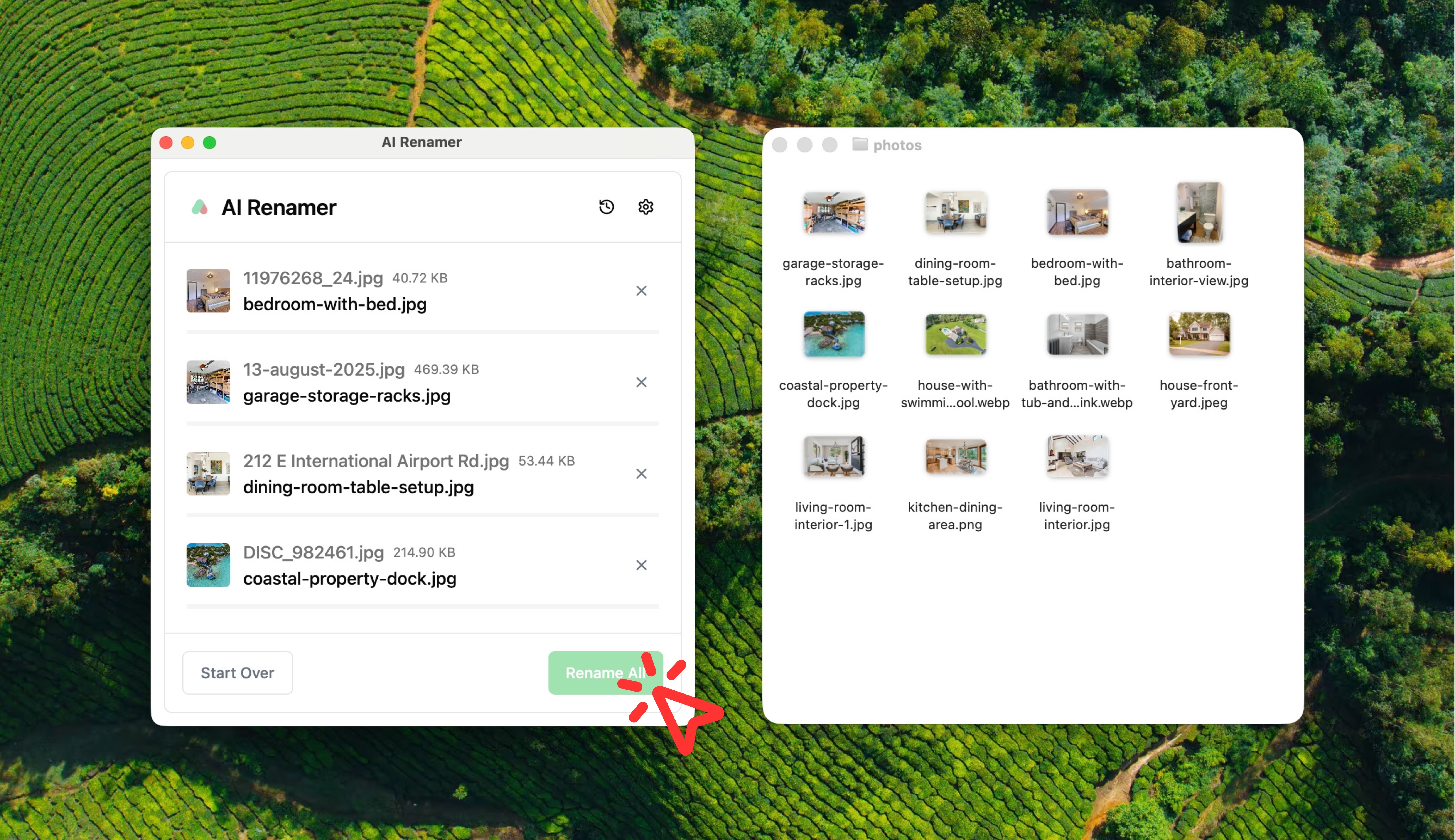 Click Rename All.
Your listing folders instantly become:
- Easier to upload
- Easier to reuse
- Easier to share with clients
- Easier to archive by property
The Best Naming Conventions for Real Estate Listing Photos
The best real estate photo filenames follow three rules:
- Describe what is visible
- Use simple, familiar room names
- Stay consistent across listings
Naming Patterns That Work Well
room-featurearea-detailexterior-angleroom-lighting-context
Examples:
living-room-area.jpgkitchen-stainless-appliances.jpgbathroom-tile-shower.jpgexterior-backyard-patio.jpgbedroom-closet-storage.jpg
These filenames are easy to scan and work well for uploads and long term storage.
Using Custom Instructions for Real Estate Photo Naming
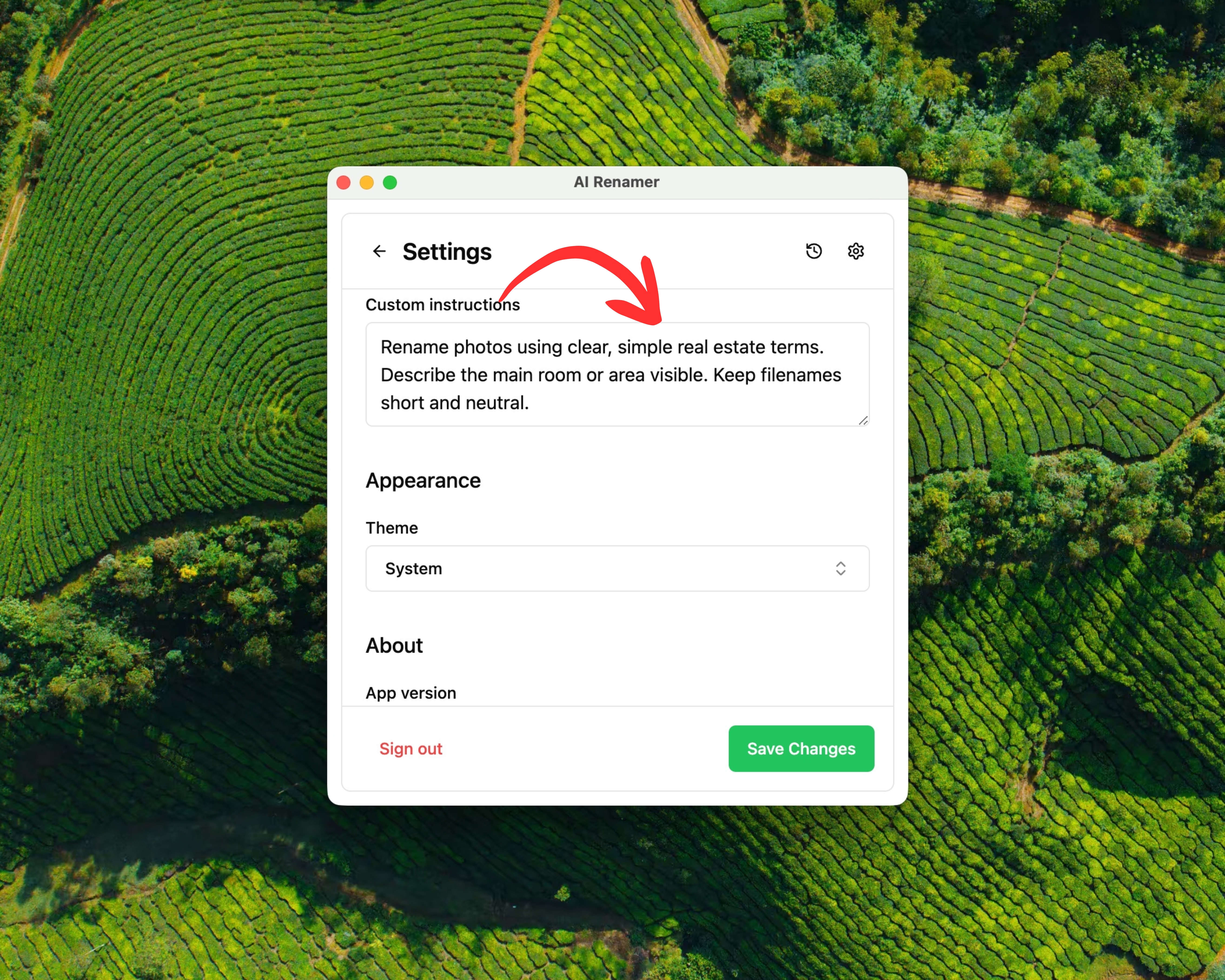 Custom Instructions let you control how AI Renamer names your listing photos.
For more workflow ideas, see:
Custom Instructions let you control how AI Renamer names your listing photos.
For more workflow ideas, see:
👉 10 Professional Use Cases for AI File Renaming Tool
Example Custom Instruction for Real Estate Agents
Paste this:
Rename photos using clear, simple real estate terms.
Describe the main room or area visible. Keep filenames short and neutral.
This helps generate consistent filenames without hallucinated details.
Before and After Examples
Example 1: Exterior Photo
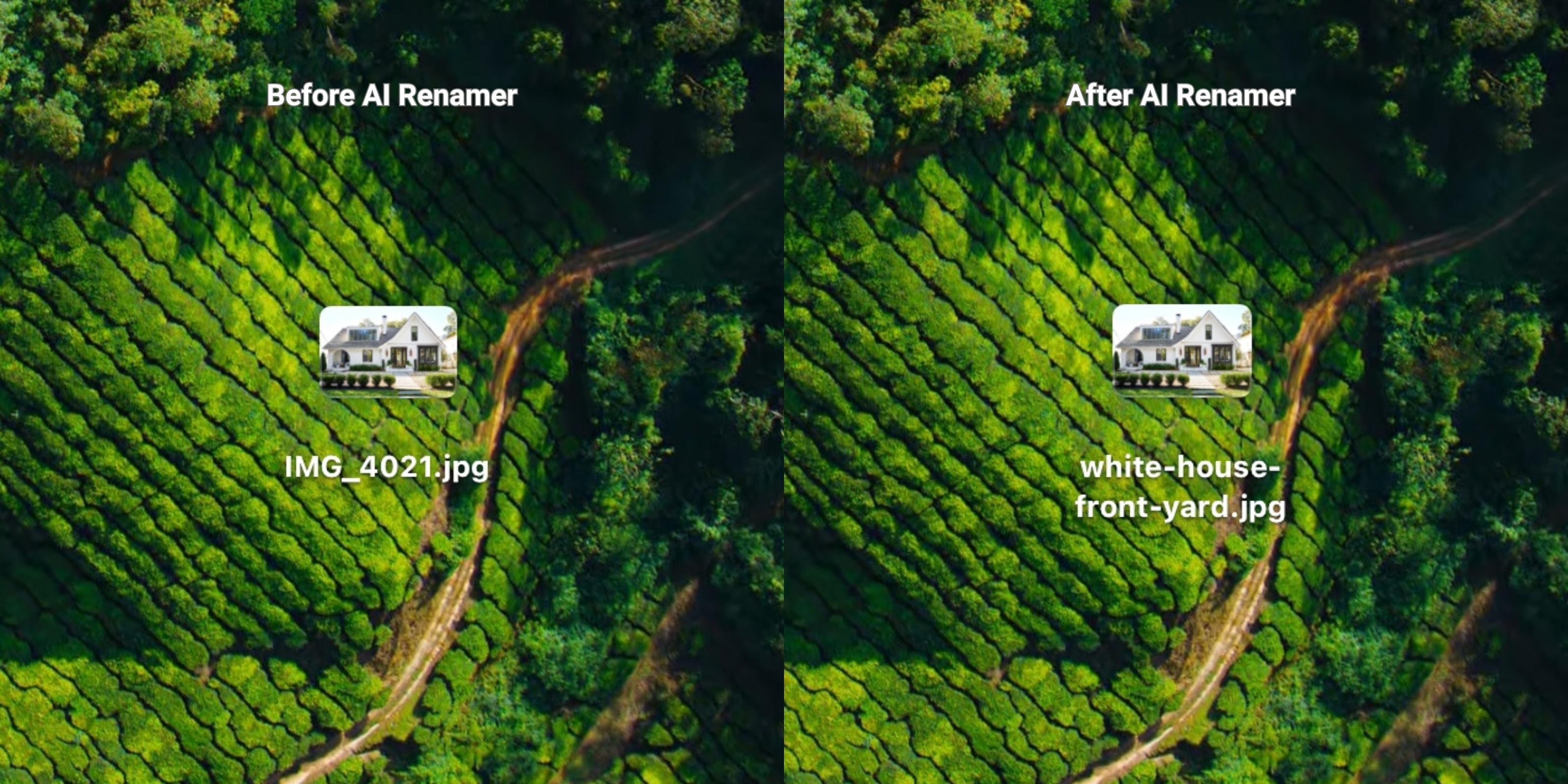 Before:
IMG_4021.jpg
After:
white-house-front-yard.jpg
Example 2: Kitchen Photo
 Before:
DSC_0098.png
After:
kitchen-dining-area.png
Example 3: Bedroom Photo
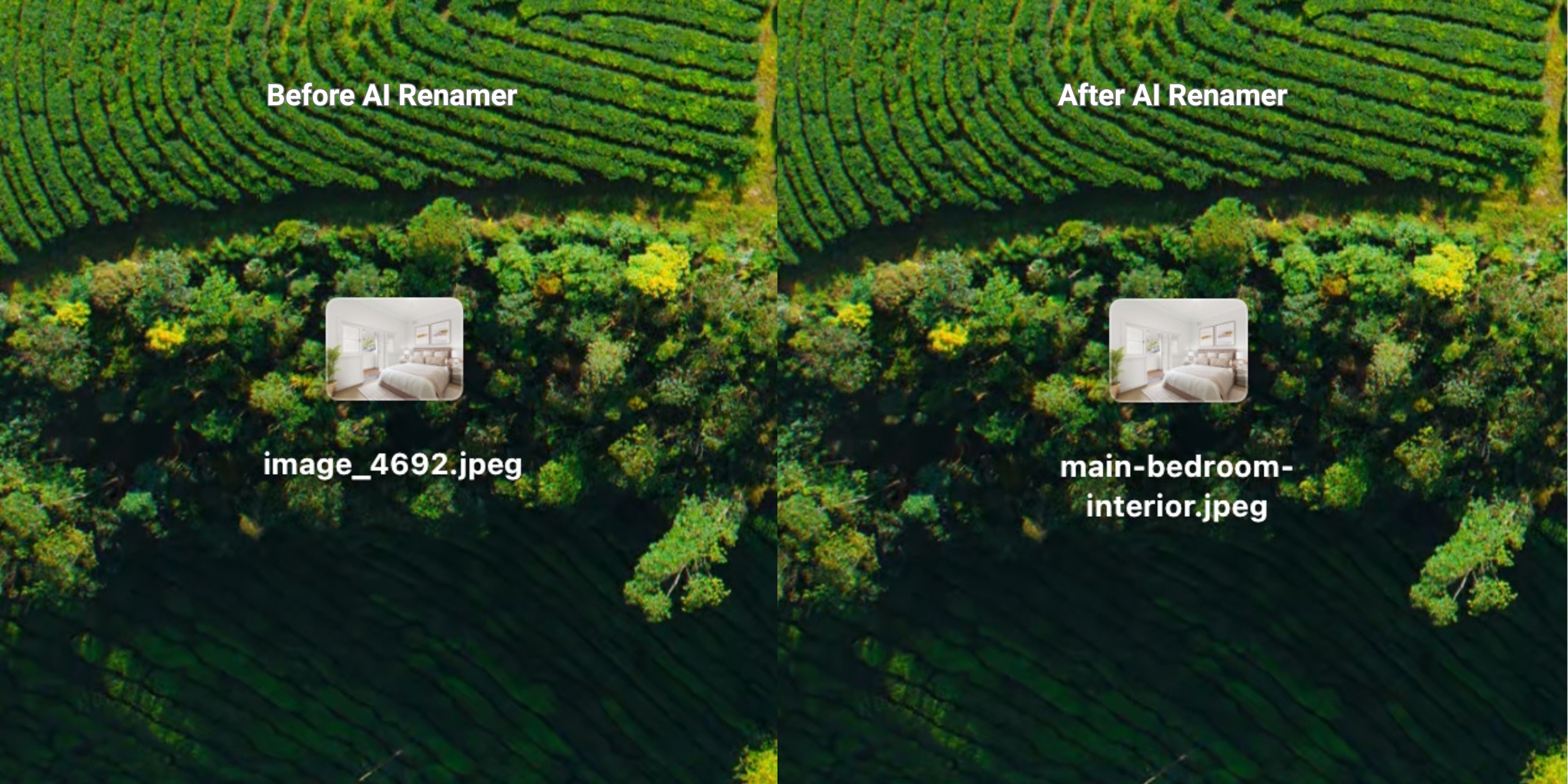 Before:
image_4692.jpeg
After:
main-bedroom-interior.jpeg
Example 4: Bathroom Photo
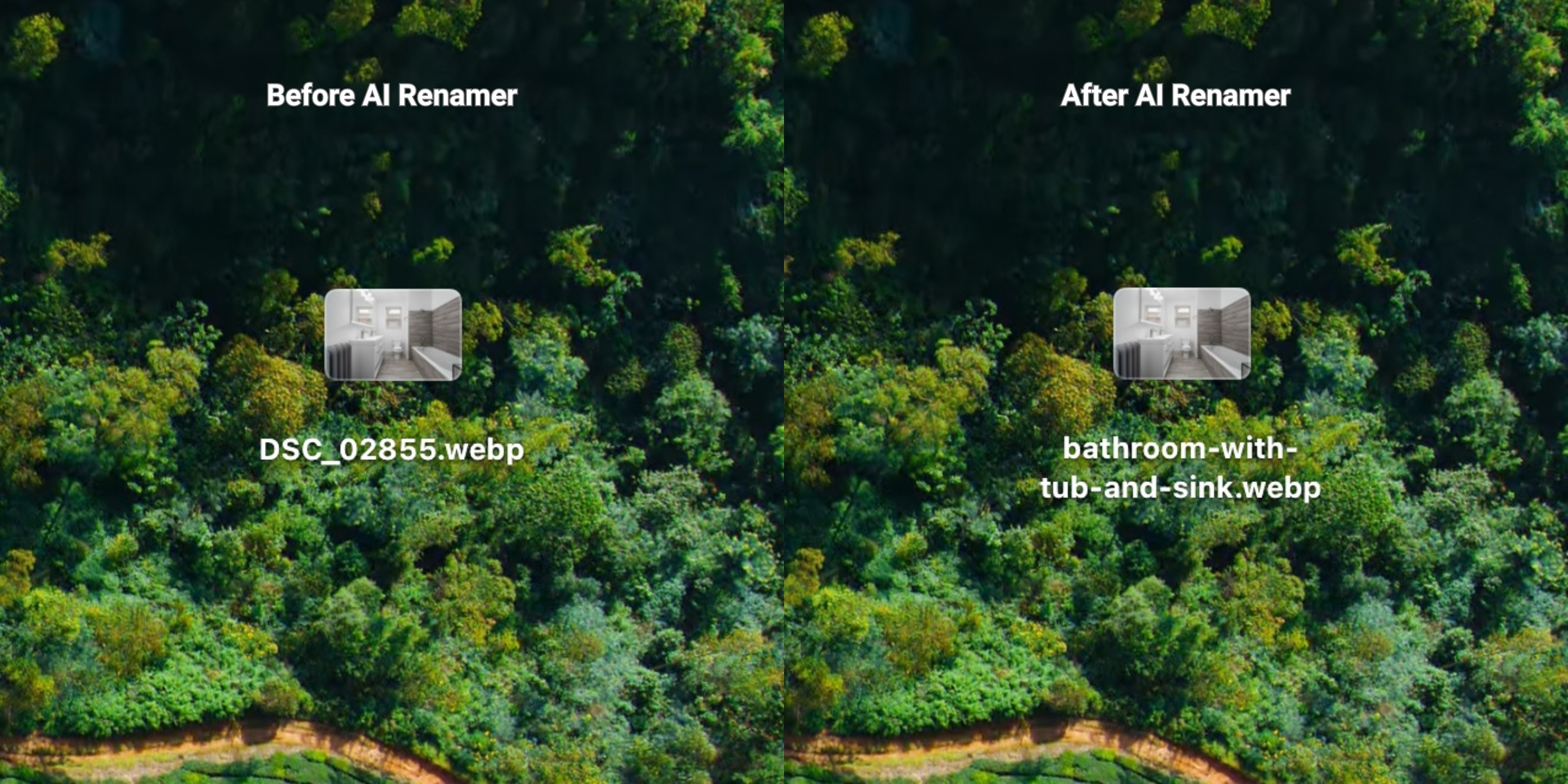 Before:
DSC_02855.webp
After:
bathroom-with-tub-and-sink.webp
AI Renamer uses only what is visible in the image.
It does not identify addresses, owners, or personal details.
Frequently Asked Questions
Does AI Renamer work with MLS or listing platforms?
No. AI Renamer does not connect to MLS or listing platforms directly.
AI Renamer works before upload. You first rename your photos on your computer using AI Renamer, then upload the clean, organized files to MLS or any listing platform you use. This gives you full control over filenames without changing how your MLS workflow works.
Is it safe for client photos?
Yes.
- Local Mode keeps everything on your device
- Cloud Mode processes files temporarily and does not store them
Can I batch rename hundreds of listing photos?
Yes. Batch renaming is the core feature.
Does it recognize room types automatically?
Yes. AI Renamer can detect common rooms like kitchens, bedrooms, bathrooms, living rooms, and exterior areas when they are visually clear.
Keep Your Real Estate Photo Library Clean Without Manual Renaming
If your listing folders are full of:
IMG_4021.jpgDSC_0098.JPGimage_4692.jpeg
You are not doing anything wrong. That is how photos arrive.
AI Renamer gives real estate agents a fast, private, and automatic way to batch rename listing photos so every property stays organized and easy to manage.
Rename real estate photos in minutes.
👉 Try AI Renamer: airenamer.app